EasyManua.ls Logo

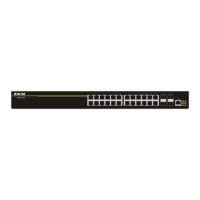
DCN S4600-52P-SI - User Manual

Default Icon
22 pages
Print Icon
To Next Page IconTo Next Page
Loading...
S4600 series Installation manual Content
1
Content
Chapter 1 Introduction ............................................................. 1-1
1.1 Product Brief ................................................................................... 1-1
1.2 Physical Specifications .................................................................. 1-2
1.3 Description of Hardware ................................................................ 1-3
1.3.1 Front Panel............................................................................................... 1-3
1.3.2 Back Panel ............................................................................................... 1-4
1.3.3 Status LEDs ............................................................................................. 1-5
1.3.4 Front Panel Port Description ............................................................... 1-11
Chapter 2 Hardware Installation .............................................. 2-1
2.1 Installation Notice ........................................................................... 2-1
2.1.1 Environmental Requirements ................................................................ 2-1
2.1.2 Installation Notice ................................................................................... 2-4
2.1.3 Security Warnings ................................................................................... 2-4
2.2 Installation Preparation .................................................................. 2-5
2.2.1 Verify the Package Contents .................................................................. 2-5
2.2.2 Required Tools and Materials ................................................................ 2-6
2.3 Installation Guide ............................................................................ 2-6
2.3.1 Installing the Switch ............................................................................... 2-6
2.3.2 Connecting Console ............................................................................... 2-7
2.3.3 SFP Transceiver Installation .................................................................. 2-8
2.3.4 Copper Cable/Fiber Cable Connection ................................................. 2-8
2.3.5 Power Supply Connection ..................................................................... 2-9

Other manuals for DCN S4600-52P-SI

Question and Answer IconNeed help?

Do you have a question about the DCN S4600-52P-SI and is the answer not in the manual?

Summary

Chapter 1 Introduction

Product Brief

Overview of S4600 series switch models and their capabilities.

Physical Specifications

Details on switch dimensions, weight, power consumption, and operating conditions.

Hardware Description

Detailed explanation of hardware components and features of the switches.

Front Panel Overview

Description of the front panel ports, LEDs, buttons, and power socket.

Back Panel Overview

Description of the back panel components, including power socket and grounding.

Status LED Indicators

Explanation of system and port status LED indicators.

Front Panel Port Details

Detailed description of the RJ-45 and SFP ports on the front panel.

Chapter 2 Hardware Installation

Installation Notice

Important guidelines and warnings to follow before and during installation.

Environmental Requirements

Requirements for the installation environment, including dust, temperature, and humidity.

Installation Preparation Notice

General installation instructions and preparation steps.

Installation Security Warnings

Critical safety warnings to prevent injury or damage.

Installation Preparation

Steps and items required for preparing the installation.

Verify Package Contents

Checking the switch and accessories against the package list.

Required Tools and Materials

List of tools and materials needed for the installation process.

Installation Guide

Step-by-step instructions for installing the switch hardware.

Installing the Switch

Procedures for mounting the switch in a rack or on a surface.

Connecting the Console Port

Instructions for connecting to the switch's console port.

SFP Transceiver Installation

Steps for properly installing SFP transceivers.

Cable Connection Guide

Guidance on connecting copper Ethernet and fiber optic cables.

Power Supply Connection

Steps for connecting the switch to a power source.

Summary

Chapter 1 Introduction

Product Brief

Overview of S4600 series switch models and their capabilities.

Physical Specifications

Details on switch dimensions, weight, power consumption, and operating conditions.

Hardware Description

Detailed explanation of hardware components and features of the switches.

Front Panel Overview

Description of the front panel ports, LEDs, buttons, and power socket.

Back Panel Overview

Description of the back panel components, including power socket and grounding.

Status LED Indicators

Explanation of system and port status LED indicators.

Front Panel Port Details

Detailed description of the RJ-45 and SFP ports on the front panel.

Chapter 2 Hardware Installation

Installation Notice

Important guidelines and warnings to follow before and during installation.

Environmental Requirements

Requirements for the installation environment, including dust, temperature, and humidity.

Installation Preparation Notice

General installation instructions and preparation steps.

Installation Security Warnings

Critical safety warnings to prevent injury or damage.

Installation Preparation

Steps and items required for preparing the installation.

Verify Package Contents

Checking the switch and accessories against the package list.

Required Tools and Materials

List of tools and materials needed for the installation process.

Installation Guide

Step-by-step instructions for installing the switch hardware.

Installing the Switch

Procedures for mounting the switch in a rack or on a surface.

Connecting the Console Port

Instructions for connecting to the switch's console port.

SFP Transceiver Installation

Steps for properly installing SFP transceivers.

Cable Connection Guide

Guidance on connecting copper Ethernet and fiber optic cables.

Power Supply Connection

Steps for connecting the switch to a power source.

DCN S4600-52P-SI Specifications

General IconGeneral
ModelDCN S4600-52P-SI
Port Count52
PoE Ports48
Switching Capacity176 Gbps
Forwarding Rate131 Mpps
MAC Address Table Size16K
Storage Temperature-40°C to 70°C
VLAN Support4K VLAN
Power SupplyAC 100~240V, 50/60Hz
Dimensions440mm x 360mm x 44mm
Packet Buffer4 MB
Operating Temperature0°C to 45°C
Operating Humidity10% to 90% non-condensing
Storage Humidity5% to 95% non-condensing

Related product manuals