dCS Rossini Clock User Manual Software Issue 1.0x
February 2016
Rossini Clock Manual v1_0x
Page 11 English version
FRONT PANEL
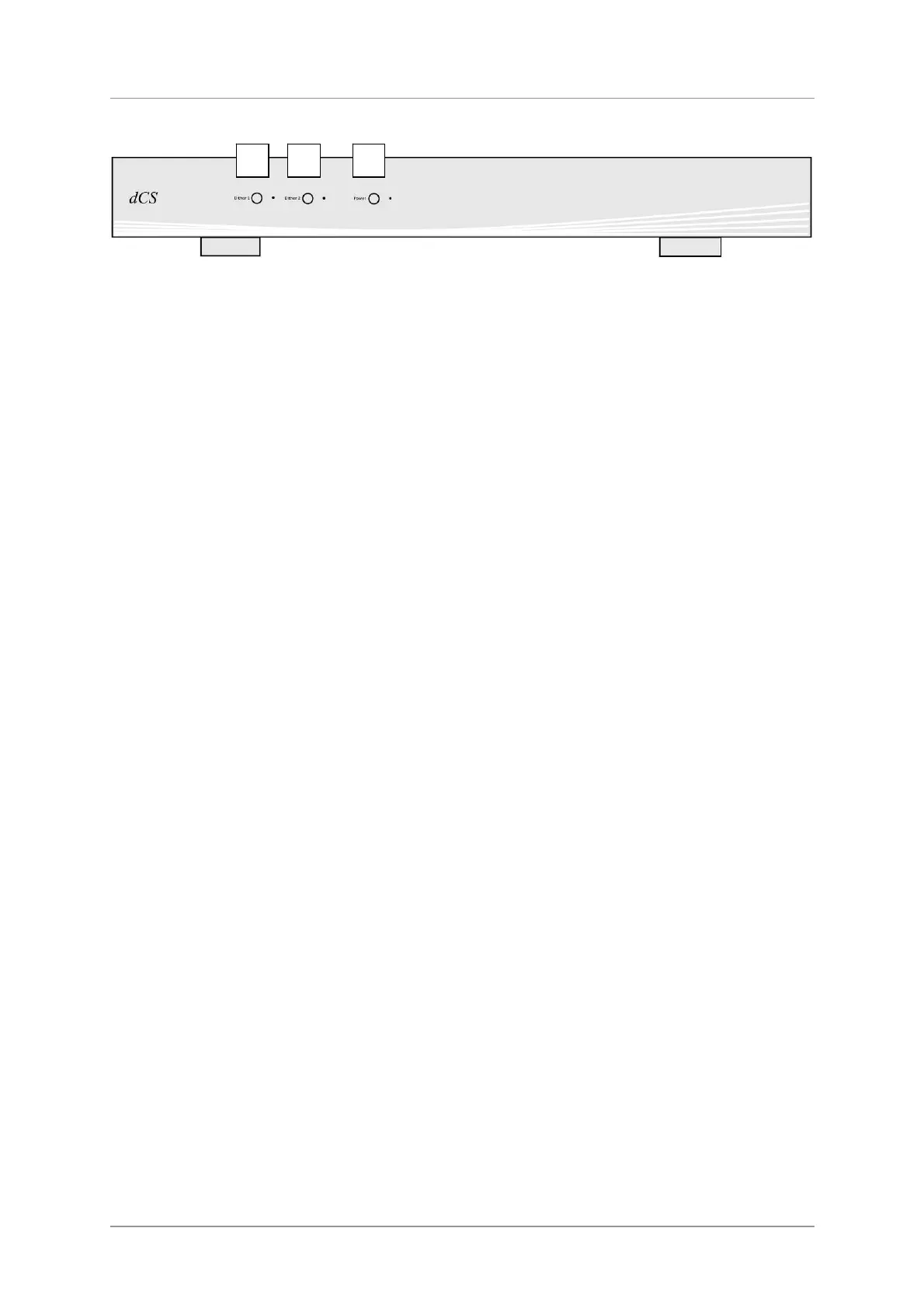
Figure 3 – Front panel
Dither Buttons
The Dither feature is designed to exercise the Phase-Locked–Loop in the Player / DAC to improve the
correction of small timing errors. Try it and see what you think!
Press one or both of the Dither buttons (A & B) to turn the Dither feature off and on. When Dither is
on, the LED to the right of the button will illuminate.
Dither 1 affects Word Clock Output 1; also Output 3 if it is set to 44.1kHz.
Dither 2 affects Word Clock Output 2; also Output 3 if it is set to 48kHz.
Power Button
To switch on, ensure the rear panel switch is set to I and press the Power button (C) on the front
panel once.
To set the unit to sleep mode, press the Power button once. The LED beside the button will dim and
the Word Clock Outputs will be muted, but the unit will remain close to running temperature. Press
again to return to normal operation.
To switch off, hold down the Power button for few seconds until the LED turns off, then release it.
A B C



 To Next Page