dCS Rossini Clock User Manual Software Issue 1.0x
February 2016
Rossini Clock Manual v1_0x
Page 7 English version
Using the Rossini Player or DAC with the Clock
The Rossini Master Clock is primarily designed for use with the Rossini Player or DAC to enhance
performance when using the Network and USB inputs. The Clock can also be used with the Rossini
Player for improving CD playback.
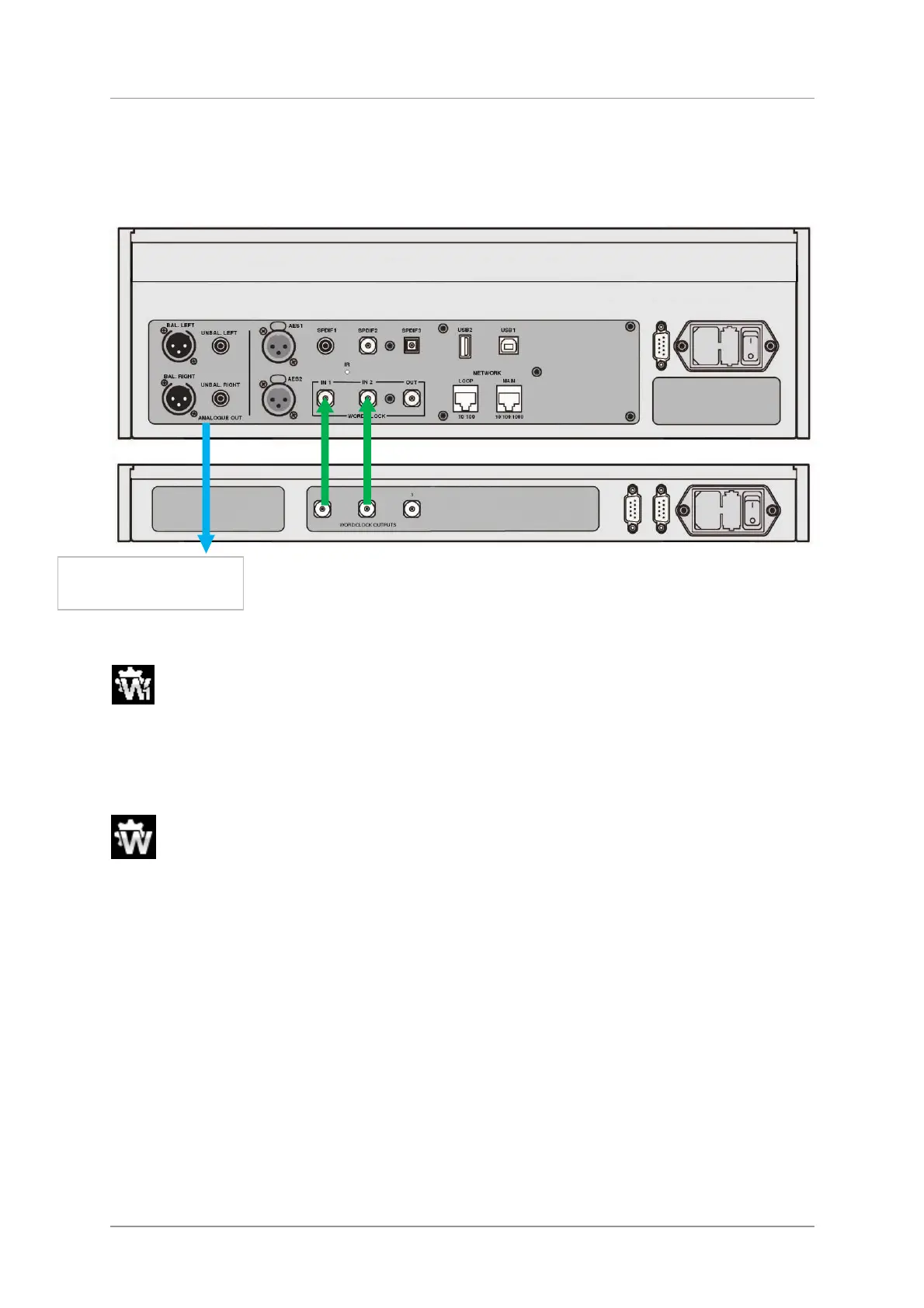
Figure 1 – Using the Rossini Player and Clock together
• Connect the system as shown above. The DAC connects in the same way.
• Use the Player’s Input button to select CD mode.
Open the Player’s menu, navigate to the Settings > Sync Mode menu page (the button
sequence is: Menu, ►, Menu). Use the Menu button to select the Word Clock 1 icon.
The Player will re-lock and un-mute.
• Either wait for the menu to close or press the Player’s Power button briefly to close it.
• Use the Player / DAC’s Input button to select the Network input.
Open the Player / DAC’s menu, navigate to the Settings > Sync Mode menu page again.
Use the Menu button to select the Word Clock 1 -2 Auto icon. Close the menu.
• If you are using the USB1 or USB2 inputs, lock them to the Clock in the same way as for the
Network input.
• Try turning on the Clock’s Dither features.
Analogue outputs to
pre- or power amplifier



 To Next Page