© 2016 DDN STORAGE. P/N 15-000836-001 SFA7700 CMOS and Backup Battery Replacement Instructions | 4
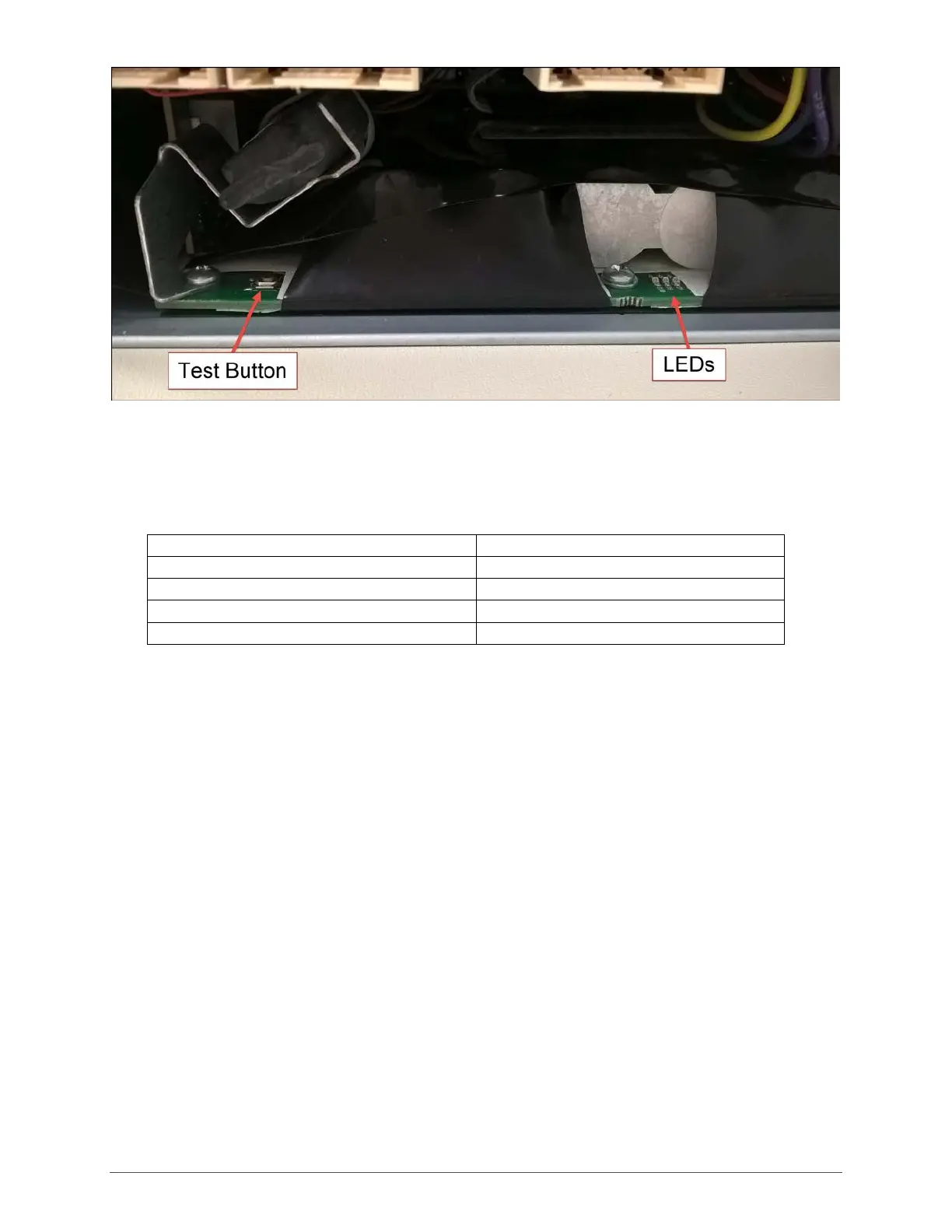
Figure 2
Press the test button on the left side of the backup battery assembly and hold. The battery pack
LEDs light up to indicate the state of chart. The chart below explains how the state of charge
corresponds to the LED’s..
Identifying the Battery to be Replaced
Before beginning the replacement, identify which controller contains the expired battery:
1. Log into the system from either controller.
2. Run SHOW ENCLOSURE ALL (Figure 3). Note that in this example, the state of Battery Health
for controller 0 is REPLACEMENT REQUIRED. Note, also, that the enclosure index for this
controller is 0.



 To Next Page