© 2016 DDN STORAGE. P/N 15-000836-001 SFA7700 CMOS and Backup Battery Replacement Instructions | 7
Figure 6
CAUTION: Use extreme care to prevent the connector pins at the back of the controller
from being bent or damaged.
3. Place the controller on a static free surface.
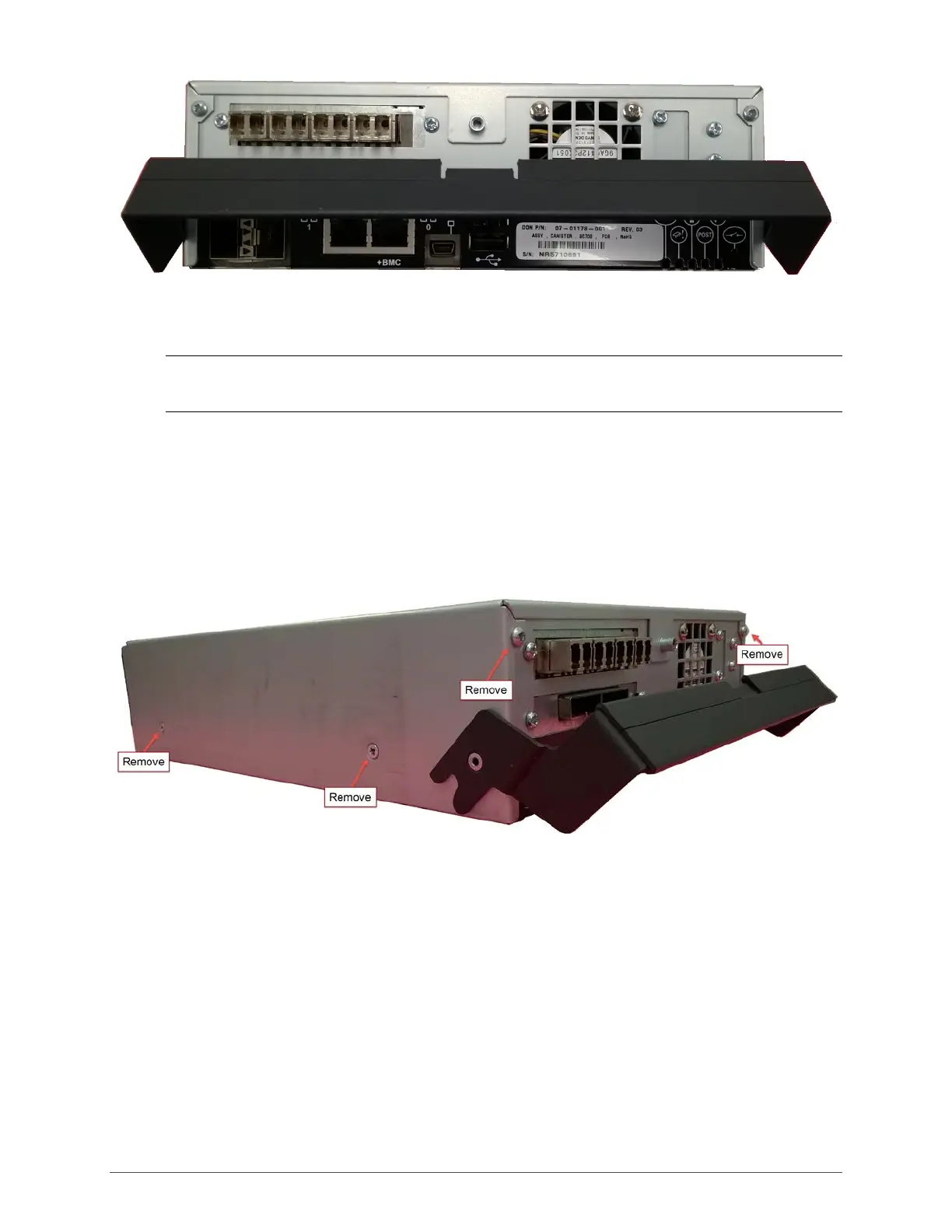
Opening the Controller
The outer case of the controller is secured with a total of six screws – two on the front as well as two
on either side (Figure 7).
Figure 7
4. Remove the side and front screws with a number 1 Phillips head screwdriver (Figure 8).



 To Next Page