© 2016 DDN STORAGE. P/N 15-000836-001 SFA7700 CMOS and Backup Battery Replacement Instructions | 6
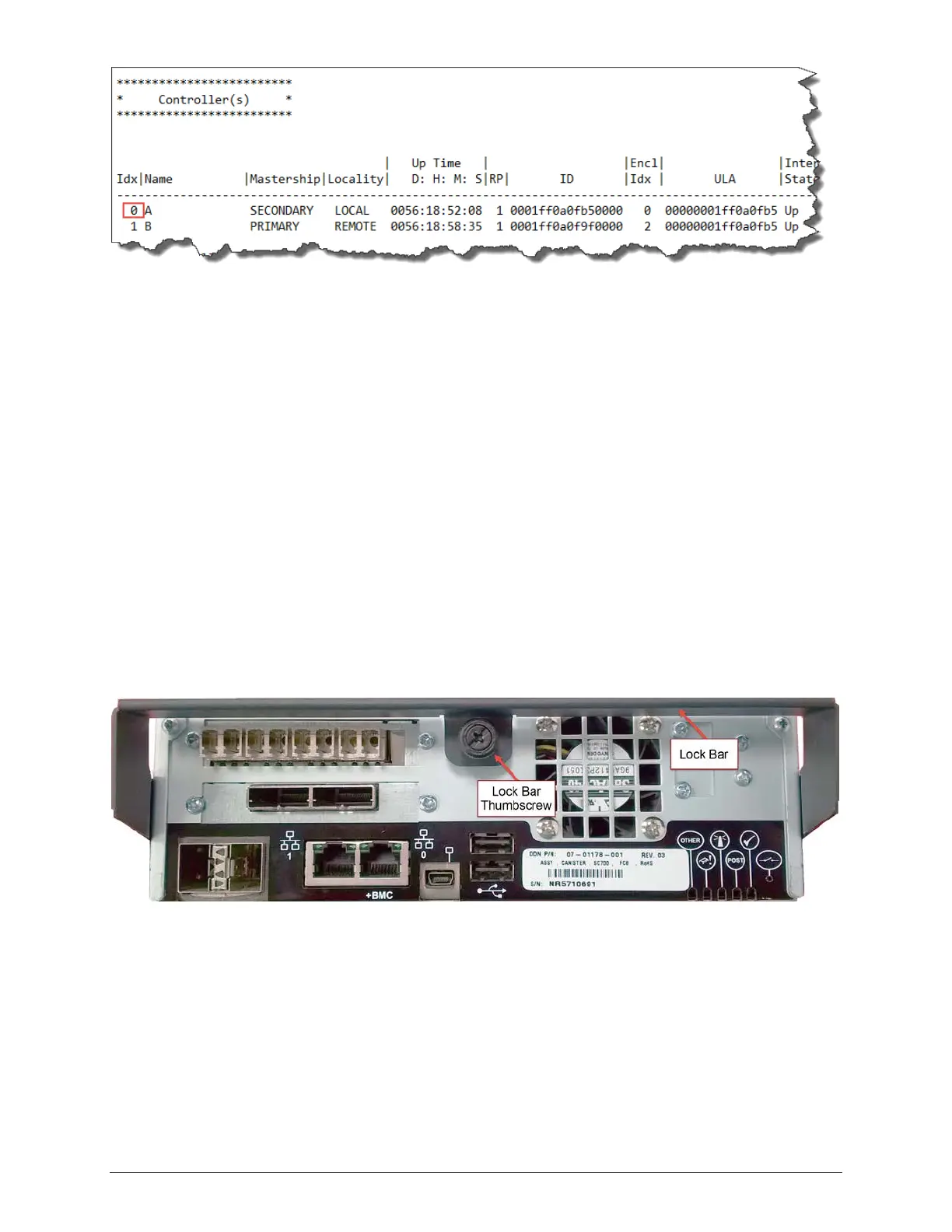
Figure 4
4. The controller can be visually identified by running the the command: LOCATE CONTROLLER
<controller ID>. The controller ID is included in the output of SHOW CONTROLLER (see
above). The example would be: SHOW CONTROLLER 0. This command will activate a blue
‘locate’ LED on the back of the controller for a specific amount of time. The default duration
is 120 seconds.
5. Using the controller index, run the shutdown command: SHUTDOWN CONTROLLER <index>
6. In this example, the command would be: SHUTDOWN CONTROLLER 0
7. Wait until the controller is completely powered off. All LED’s on the back of the controller
(except the LAN port activity lights) will be off.
Removing the Controller
1. Label and remove all cables from the back of the controller to allow free movement of the
lock bar which secures the controller (Figure 5).
Figure 5
2. Loosen the lock bar thumbscrew and pulled the lock bar down (Figure 6) while
simultaneously pulling the controller out from the enclosure.



 To Next Page