19
26 / 80 / 82 /
83 / 84
Programme error in the controller Switch o the bike and switch it back on again.
30
Walk mode error
Switch o the bike and switch it back on again. Take
care not to overload the motor when in walk mode
(moderate slope, no load on the bike).
40 / 41 / 44
Over-voltage or overheating of the
motor
Allow the motor to cool by pedalling more gently or
lowering the assiance mode
42 / 44
Motor error or short circuit
Check that the screen connections are properly plug-
ged in. Reart the bike.
45
Error corrected during use Switch o the bike and switch it back on again.
46
Motor error
Check that the motor connections are properly plug-
ged in. Reart the bike.
60
Communication error between the
screen and the controller
Check that the screen connections are properly plug-
ged in. Reart the bike.
70 / 71 / 72
/ 73
Torque sensor error
Switch o the bike and switch it back on again.
81
Unrecognised speed
Check that the motor connections are properly plug-
ged in. Reart the bike.
200 / 201 / 202
Torque or cadence sensor error Switch o the bike and switch it back on again.
64
Battery overload
Turn o the bike and remove the battery. Replace the
battery and turn the bike back on. If the fault has not
disappeared, go to a Decathlon workshop for repair.
65 / 66 / 67
Battery underload
Charge the battery. Once fully charged, put the batte-
ry back on the bike and turn on the screen. If the fault
has not disappeared, go to a Decathlon workshop for
repair.
80
Overheating controller
Turn o power assiance and turn o the control
screen. Allow the electrical syem to cool down.
If the fault has not disappeared, go to a Decathlon
workshop for repair.
81
Communication error battery control
screen
Check the battery charge Make sure that the battery
is correctly inserted in its housing. Check that the
control screen connection is fully pressed in. If
the fault has not disappeared, go to a Decathlon
workshop for repair.
83
Electrical syem fault
Reset the electrical syem: switch o the bike and
remove the battery. Replace the battery on the bike
and switch on the screen
84
Communication error controller com-
mand screen
Check that the control screen connection is fully
pressed in. If the fault has not disappeared, go to a
Decathlon workshop for repair.
116
Controller fault Visit a Decathlon workshop for diagnoics and repair
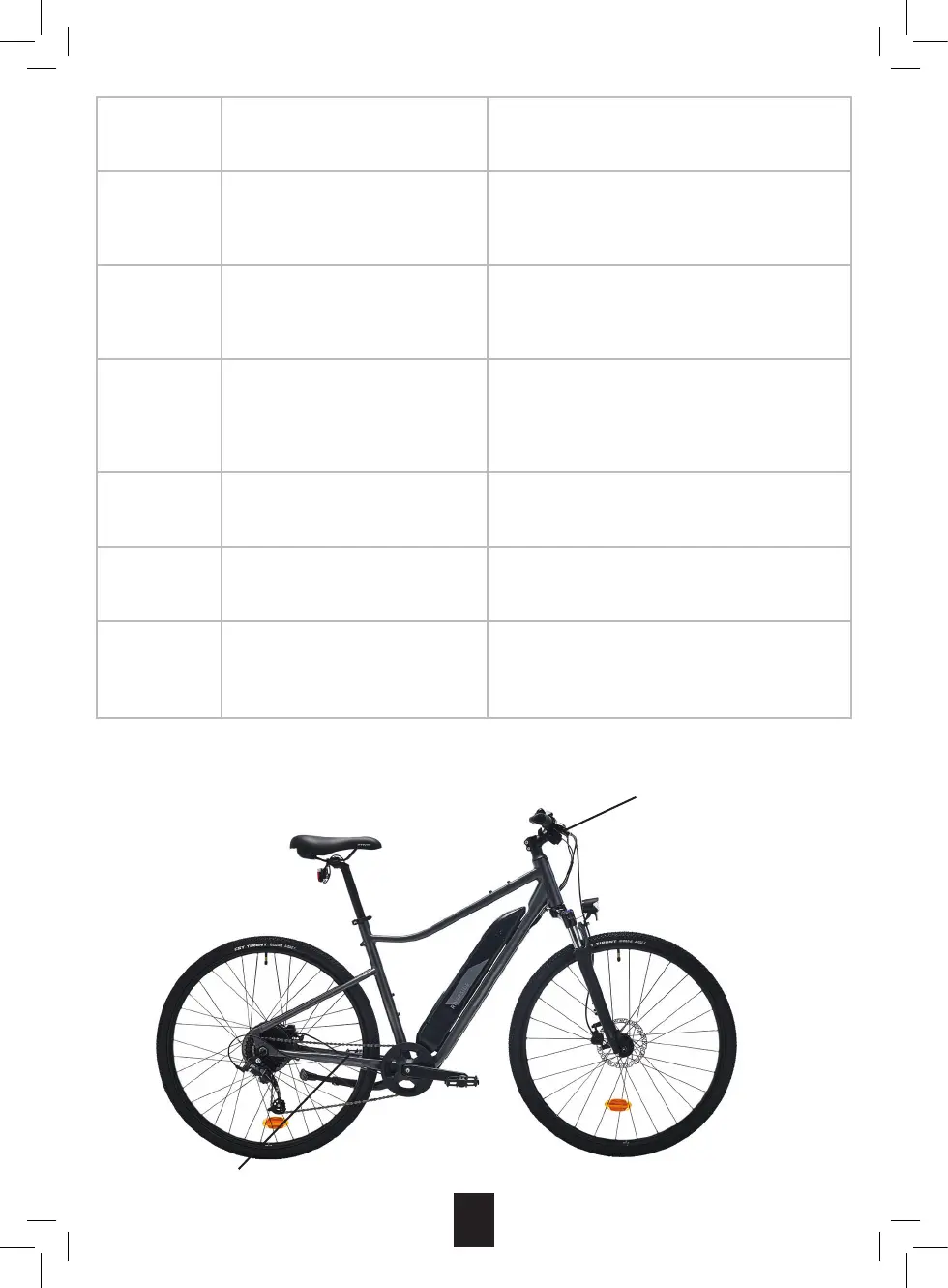
Control screen connection
Motor connection



 To Next Page