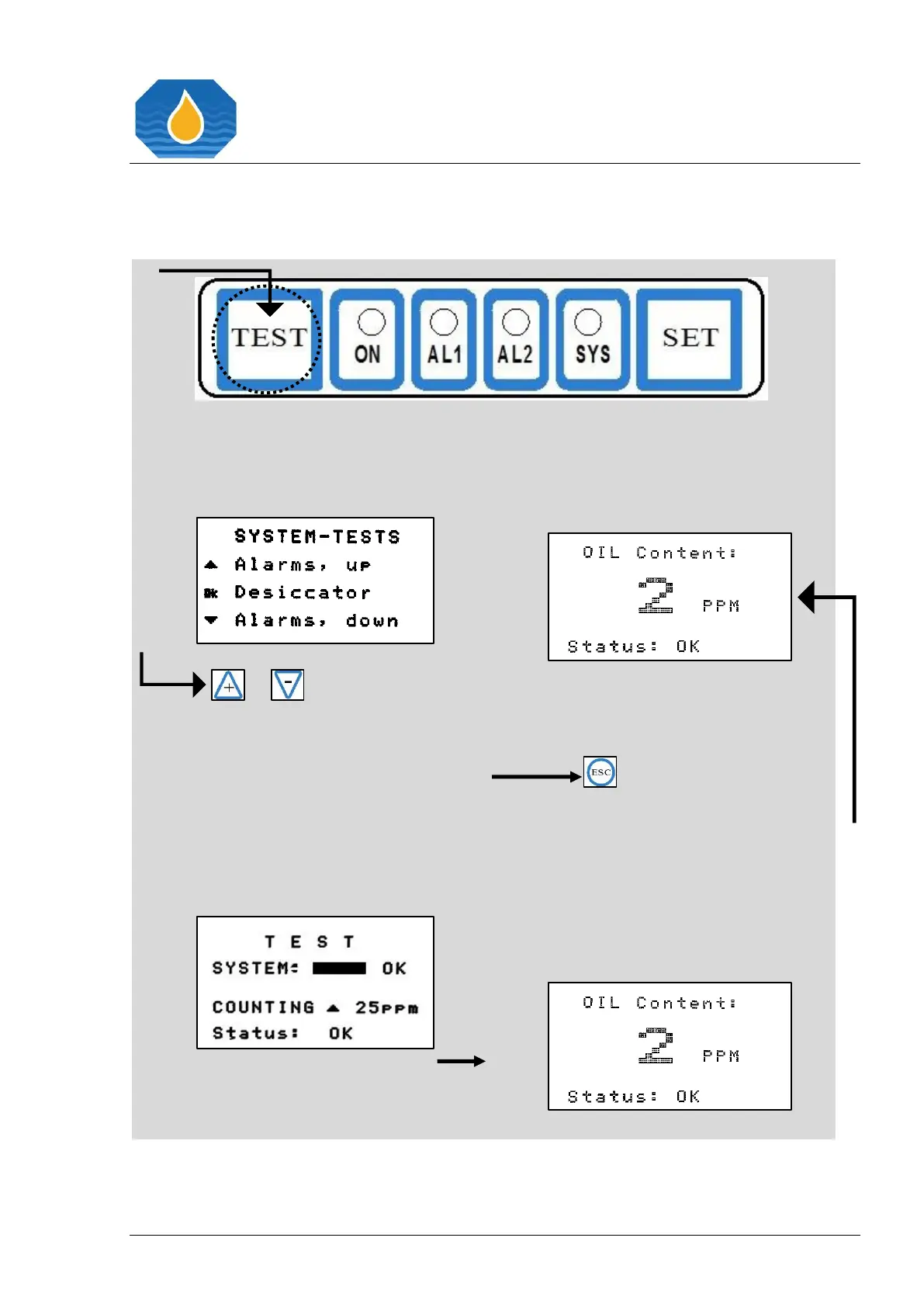
Pressing the “TEST” button directly
leads into the “SYSTEM-TESTS”
menu.
or
Press the “+” button if you want to
activate the alarms test counting
upwards, or press the “-“ button if
you want to activate the alarms test
counting downwards. Please wait
until the Alarms Test is completed, as
indicated by countdown value and
progress bar.
By Pressing the “ESC” button, the
normal operation display will appear.


 To Next Page