5.6 Modifying the installer settings
5.6.1. Language selection
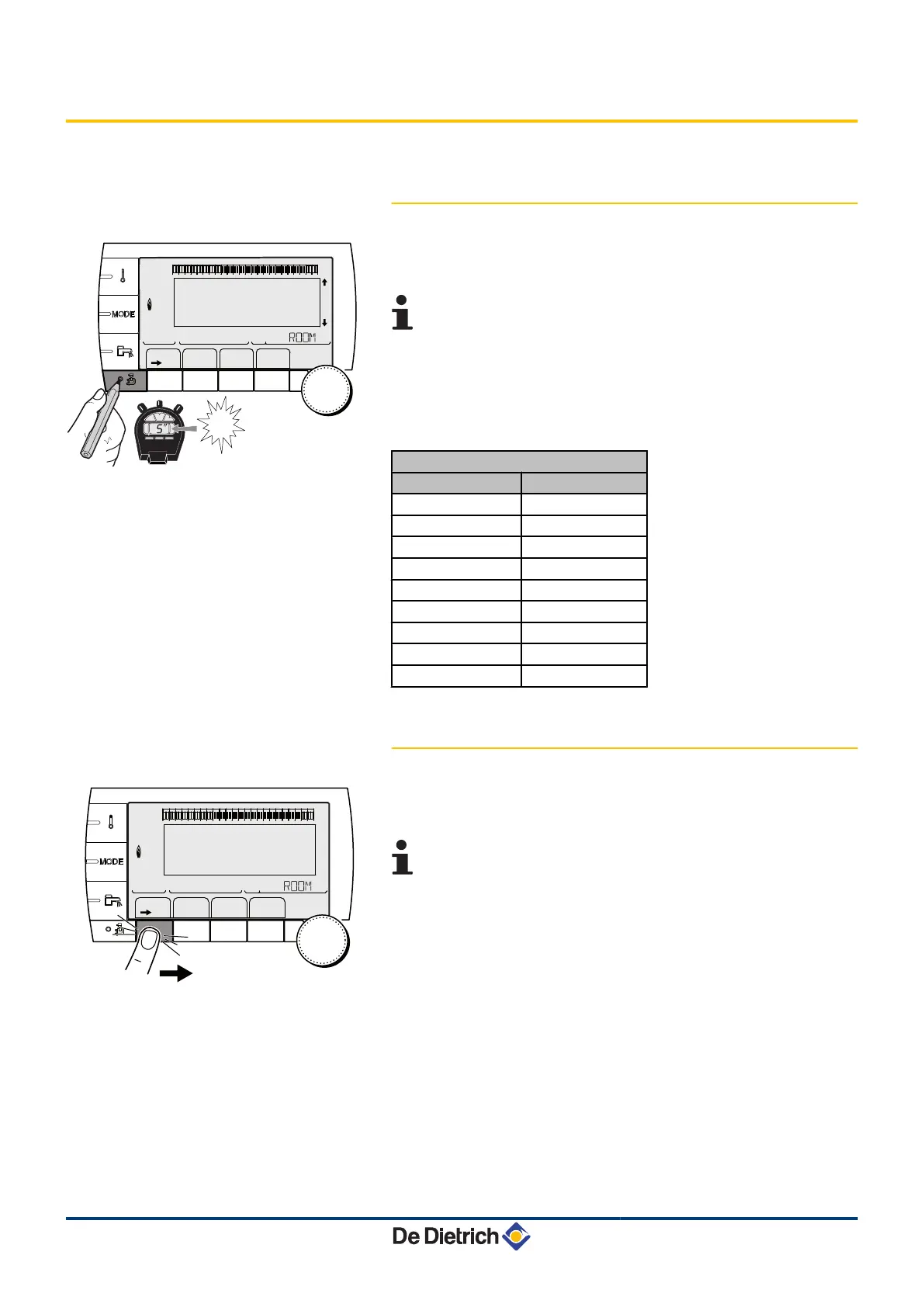
1. Access the installer level: Press key
-
for around 5 seconds.
2. Select the menu #LANGUAGE.
4 Turn the rotary button to scroll through the menus or
modify a value.
4 Press the rotary button to access the selected menu
or confirm a value modification.
¼
For a detailed explanation of menu browsing, refer to
the chapter: "Browsing in the menus", page 31
Installer level - #LANGUAGE Menu
Adjustment range Description
FRANCAIS Display in French
DEUTSCH Display in German
ENGLISH Display in English
ITALIANO Display in Italian
ESPAÑOL Display in Spanish
NEDERLANDS Display in Dutch
POLSKY Display in Polish
TÜRK Display in Turkish
PУCCKИЙ Display in Russian
5.6.2. Calibrating the sensors
1. To access user level: Press the
>
key.
2. Select the menu #SETTING.
4
Turn the rotary button to scroll through the menus or
modify a value.
4 Press the rotary button to access the selected menu
or confirm a value modification.
¼
For a detailed explanation of menu browsing, refer to
the chapter: "Browsing in the menus", page 31
3. Set the following parameters:
1
1
2
2
r
c
STD
(
'
t
v
0 2 4 6 8 10 12 14 16 18 22 2420
p
b
AUTO
x
c
r
j
M
g
m
SUNDAY 11:45
5
"
TEMP.: 68°
C002235-F-04
bar
1
1
2
2
r
c
STD
(
'
t
v
0 2 4 6 8 10 12 14 16 18 22 2420
p
b
AUTO
x
c
r
j
M
g
m
SUNDAY 11:45
C002219-D-04
5. Commissioning
Diematic iSystem For C 330 / C 630 ECO
51
31082018 - 7600691-001-06


 To Next Page
 Loading...