2014-9-24 Deeper User Guide
file://localhost/Users/MAD/Downloads/Manual/index_en.html 5/25
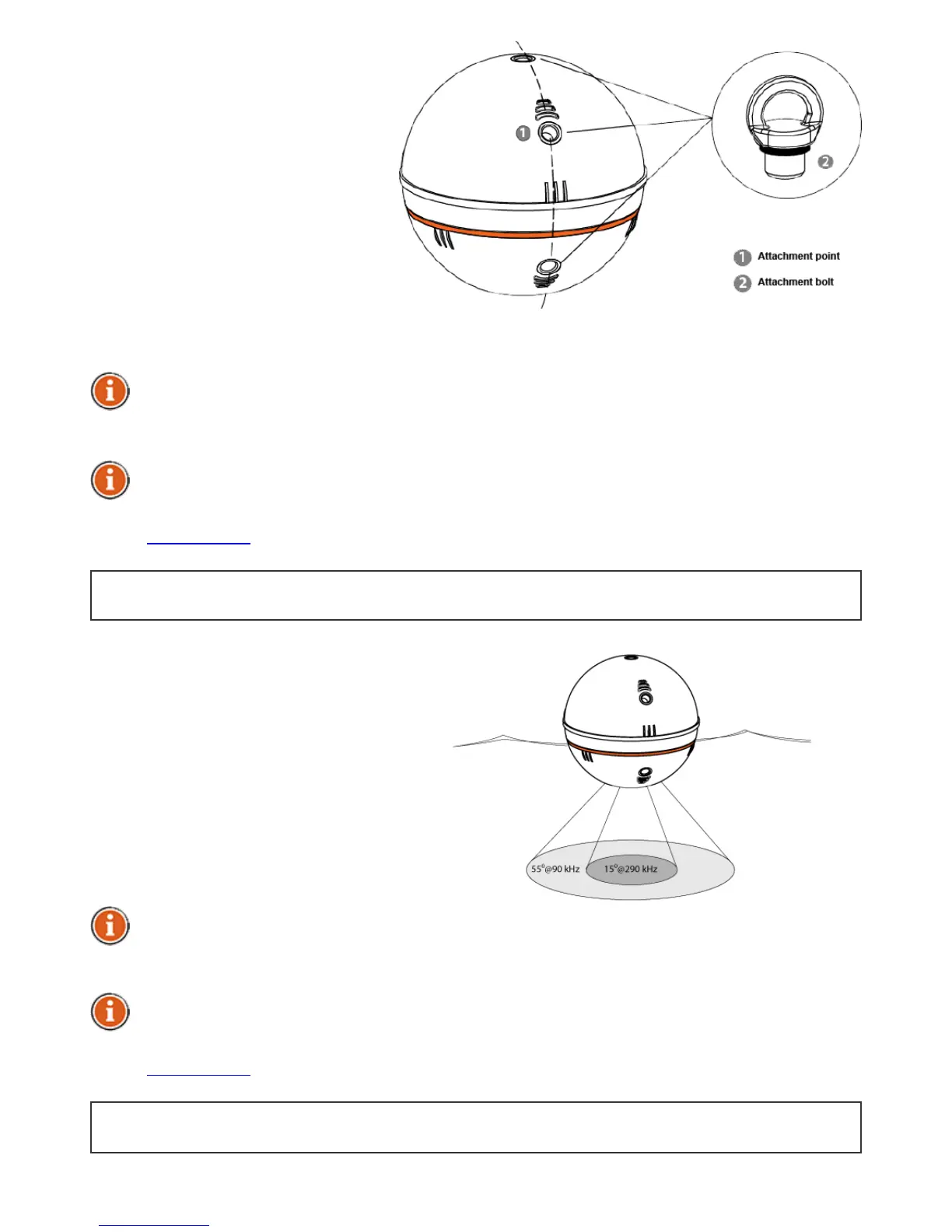
2. Insertanattachmentbolt
intoasuitableattachment
pointonyourDeepergadget,
aschosenaccordingtoyour
plannedanglingconditions,
fasteningtheboltwith1.5
Nmtorque.
3. Securelyattachthefishing
linetotheinserted
attachmentbolt.
4. Castconnectedgadgettothe
desiredspot.
5. Launchtheapplicationandstartfishfinding.
6. Eitherreelinyourgadgetforanovervieworkeepitstationaryforfishmonitoring
Onlyattachyourgadgettoasufficientlystrongfishinglineanduseasuitable,
properlytightenedknot.Alsoensurethatyourfishingpolewithstandtheweightof
theDeeper.Otherwiseyouareatriskoflosingthedevice,damagingtheequipment
orsomeone’sproperty,orevencausinganinjury.
Whenreelingthedevice,ensureitglidessmoothlyontopofthewaterwithitsheavy
sidefacingtowardsthebottomasthiswillresultinthemostaccuratesonarview.
BacktoTOP
Sonaroperationalprinciples
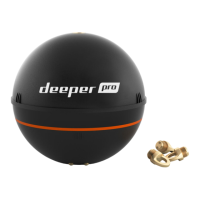
1. Deepercanbeoperatedat
twodifferentfrequencies
(DualBeam).Precisenarrow
beam(15°@290kHz)isused
forhighaccuracyreturnsof
fish,structure,detailand
bottomprofile.Widebeam
(55°@90kHz)providesample
searchareaforfish,baitfish
andbottomstructure.
Itisbesttousethelowfrequency(90kHz)settingtofigureout,wherethefishare
andswitchtothehighfrequency(290kHz)settingtogetmoreaccurateinformation
aboutfishpositionorbottomstructure.
Bydefault,Deeperissettohighfrequency(290kHz)setting,whichisdesignedfor
bestperformanceandlongestbatterylife.
BacktoTOP


 To Next Page