Need help?
Do you have a question about the deeper Fishfinder and is the answer not in the manual?
Step-by-step guide on how to open and charge your Deeper gadget.
Instructions on downloading and installing the Deeper mobile application.
How to pair your Deeper gadget with your mobile device via Bluetooth.
Instructions for attaching the gadget and starting a fishing session.
Explanation of sonar frequencies, beams, and how they interpret the water.
Overview of the initial app screen and its main buttons.
Explanation of the main screen displaying sonar data, temperature, depth, and battery.
Details on Smart Imaging features, bottom hardness, weed detection, and fish icons.
Using the calendar to view fish activity levels and lunar phases.
How to take and save photos of your catch directly from the app.
Accessing current weather conditions and forecasts for fishing locations.
Creating and managing fishing entries, notes, and photos.
Using the map to view current location, search, and manage fishing spots.
How to share photos, comments, and locations on social networks.
Configuring units, frequencies, and depth/fish alarms for the Deeper gadget.
Managing Deeper connections, social accounts, and data backup options.
Solutions for connection, sonar, weather, and charging issues.
Details on product guarantee, terms, limitations, and how to obtain support.
Confirmed compatible mobile devices and operating system versions for Deeper.
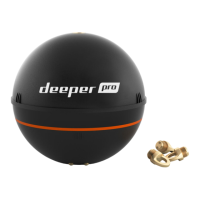
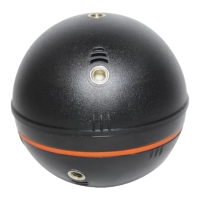
Visual identification of Deeper gadget components and attachment points.
Guidelines for regular cleaning, protection, and battery care.
Key technical data including size, weight, range, and operational parameters.
Copyright, trademark notices, and legal disclaimers for the Deeper product.
 General
| Battery Life | Up to 15 hours |
|---|---|
| Display | Smartphone or Tablet Screen |
| Connectivity | Wi-Fi |
| Depth Range | Up to 330 ft (100 m) |
| Target Separation (Narrow Beam) | 2.5 cm |
| Battery | Lithium Polymer |
| Compatibility | iOS and Android devices |
| Sonar Type | CHIRP |
| Depth Capability | 330ft (100m) |
| Resolution | Depends on connected device |
| Transducer | Built-in |
| Operating Temperature | -20°C to 60°C (-4°F to 140°F) |

 To Next Page