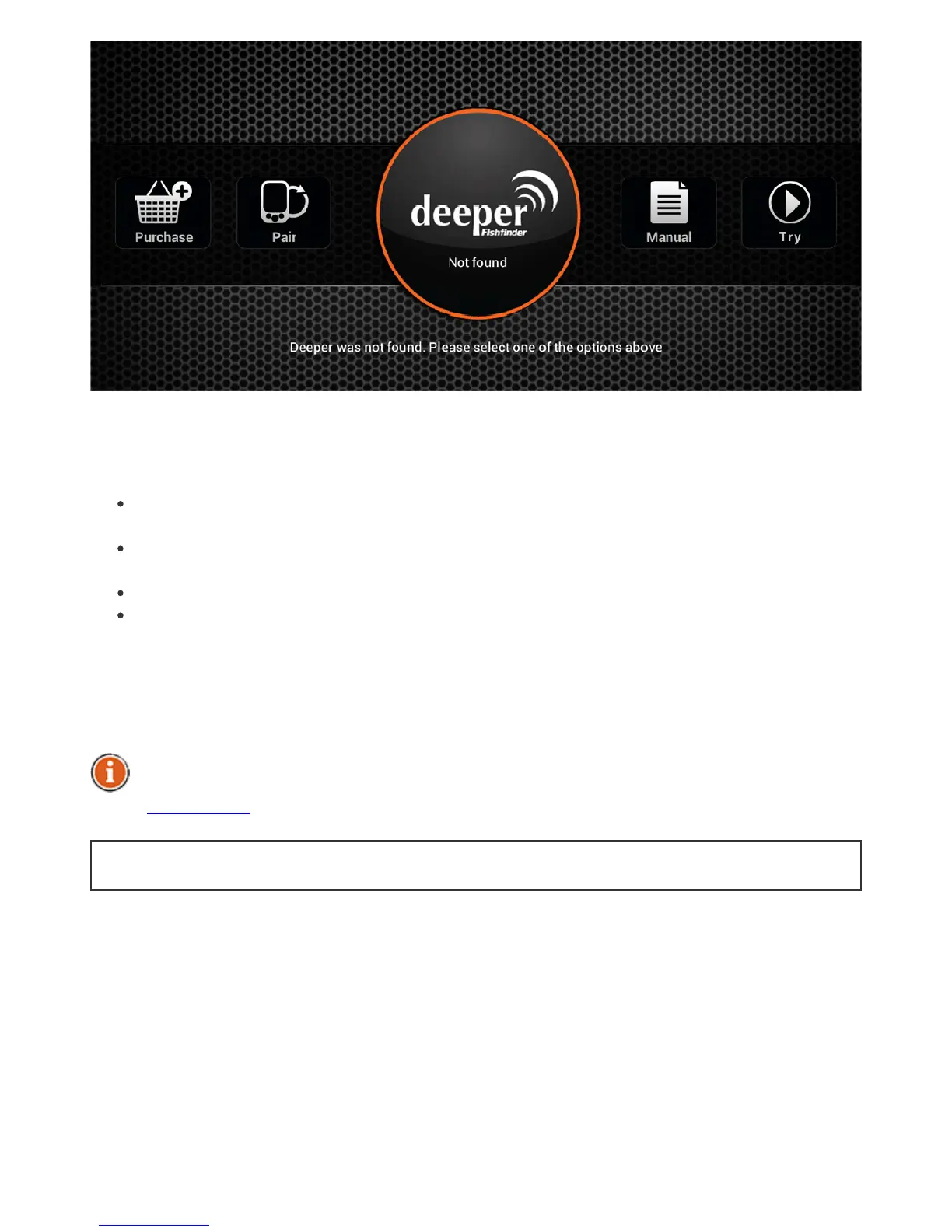
Thefirsttimeyoulaunchtheapplicationyouwillbetakentothelaunchscreen.Itdisplays
thestatusoftheconnectionwithyourDeeperandallowsyoutoaccessvariousfeatures
listedbelow:
“Buy”buttonlinksyoutotheDeeperofficialeshopfromwhichyoucanpurchasethe
gadgetitself,ifyouhavenotdonethisyet,itsaccessoriesandotheritemsrelatedtoit.
“Pair”buttonallowsyoutomanagemultipleDeepergadgetsthatarepairedwith
yourmobiledeviceortablet.
“Manual”buttonopensanelectronicversionoftheinstructionmanual.
“Start”buttonlaunchesthemainapplicationscreenallowingyoutoaccessmostof
thefeaturesoftheapplication,alsoprovidingademonstrationofhowtheapplication
displayssonarinformationwhenyourDeeperisbeingreeledinatafishingspot.
Thescreenshotsprovidedinthismanualmaydifferfromtheactualapplicationasitis
displayedbyyourdevice.
Someoftheinterfacedetailsmightdifferonsmartphonesandtablets.
BacktoTOP


 To Next Page