EasyManua.ls Logo

deeprio Revv Series - User Manual

deeprio Revv Series
25 pages
Print Icon
To Next Page IconTo Next Page
Loading...
Smartwatch User Manual
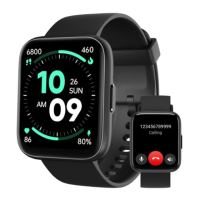
Revv Series Smartwatch by Deeprio
Thank you for your continued patronage of our products.
Please read the instruction manual carefully before using this product.
If you have any questions, please feel free to contact us by email below.
Email Address: support@deeprio.com
20230427Version
Question and Answer IconNeed help?

Do you have a question about the deeprio Revv Series and is the answer not in the manual?

Overview

This document describes the Deeprio Revv Series Smartwatch, a device designed for daily wear and activity tracking, with integrated phone call capabilities.

Function Description

The Deeprio Revv Smartwatch offers a comprehensive suite of features for health monitoring, communication, and daily convenience.

Core Functions:

  • Activity Tracking: Automatically records daily steps, calories burned, workout activities, and activity reminders. Users can set daily goals for activity, calories, and distance.
  • Phone Call: Supports answering and making calls directly from the watch when paired with a smartphone. This includes dialing numbers directly or using frequently used contacts.
  • Heart Rate Monitor: Provides 24-hour continuous heart rate monitoring and manual measurement. Users can set heart rate reminders for high or low readings. The watch uses green light absorption to detect heartbeats.
  • SpO2 (Blood Oxygen) Monitoring: Supports both manual and continuous blood oxygen measurement. It calculates blood oxygen by detecting the reflectance intensity of red and infrared light.
  • Stress Measurement: Offers manual and continuous stress measurement.
  • Sleep Tracking: Automatically records sleep conditions (Awake, Light Sleep, Deep Sleep, REM) from 9 PM to 8 AM.
  • Breathe Training: Guides users through breathing exercises to promote calmness and relaxation.
  • Weather Forecast: Synchronizes with internet weather (HeFeng weather API) when connected to the phone.
  • Event Reminder: Allows users to create event reminders via the app, which trigger vibrations on the watch.
  • Women's Health: Supports menstrual cycle tracking and provides period reminders.
  • Message Notifications: Synchronizes incoming call and message notifications from the phone.
  • Music Control: Allows users to control music playback (forward, back, volume adjustment) on their smartphone. It does not play music independently.
  • Camera Control: Enables remote control of the smartphone camera to take photos.
  • Find My Phone: Helps locate a paired smartphone within 5 meters by making it ring.
  • Watch Faces: Customizable watch faces, including the option to use personal photos.
  • Display Settings: Adjustable screen brightness and screen-on time (5s, 10s, 15s).
  • General Settings: Allows choosing the style of icons.
  • Power Saving Mode: Extends battery life by disabling certain monitoring features and alerts.

Button Functions:

  • Long Press (3 seconds): Powers on the watch (when off) or displays Power off/Restart options (when on).
  • Short Press: Lights up the screen (when locked), locks the screen, returns to the Home screen/watch face (from non-Home screens), or displays "start/pause" icon during exercise.

Interface Navigation:

  • Slide Up (from Home screen): Accesses the function features list.
  • Slide Down (from Home screen): Enters the quick settings Control center.
  • Slide Left/Right (from Home screen): Checks heart rate, sleep, music control, weather, and activity record.
  • Long Press (3 seconds on Home screen): Changes the watch face.
  • Swipe Left (during workout): Stops or pauses the activity.
  • Swipe Right (during workout): Enters the Music control center.

Important Technical Specifications

  • Model: Navv smartwatch
  • Display:
    • Material: TFT
    • Size: 1.83 inches
    • Resolution: 240*280
    • PPI: 218
  • Battery:
    • Capacity: 300mAh
    • Charging Method: Magnet type
    • Charging Time: Approximately 1.5 hours
    • Battery Life: 3-10 days (typical usage), 3 days (with BT calling)
  • Sensor:
    • Connection: BLE5.3
  • Waterproof Level: IP68
  • Strap:
    • Color: Black
    • Material: Silicon
    • Width: 22mm
    • Minimum/Maximum Wrist Size: 155-218 mm
  • System Compatibility:
    • iOS 10.0 or later
    • Android 6.0 or later
    • Bluetooth 4.2 or later

Usage Features

Initial Setup:

  1. App Download: Scan the QR code or search "Deeprio" on Google Play/App Store.
  2. Registration and Login: Create an account via email, agree to terms, and set personal information. A "Visitor Mode" is available but data won't sync to the cloud.
  3. Pairing: The watch requires pairing with the smartphone via both BLE and BT.
    • BLE Pairing: Open Deeprio App > Device > Add device. Choose to connect by searching, adding manually, or scanning the QR code on the watch.
    • BT Pairing (for Phone Calls): (Android) Go to Device page > click cue words > Set > Pair. (iOS) Click 'Set' button > Bluetooth > search for device model in "OTHER DEVICES" list > Click it > Pair.
    • Important Pairing Notes: Ensure the watch is not already paired with another device, phone's Bluetooth is enabled, and "Location" is enabled. Do not pair via the system's Bluetooth first; use the Deeprio App.
  4. Unbinding: To unbind, go to Deeprio App > Device > More device settings > Unbind. For iOS, an additional step is to "Forget This Device" twice in the phone's Bluetooth settings.

Wearing:

  • How to Wear: Place the watch on your arm with the display facing up, thread the band through the buckle, and insert the stick into a comfortable hole.
  • How to Take Off: Pull the band out of the buckle and remove the stick.
  • How to Exchange (Wristbands): Turn over the watch, press the quick-release lever inward, and pull the wristband away. Repeat for the other side.
  • How to Assemble (Wristbands): Slide the pin (opposite the quick-release lever) into the notch, attach the wristband with the clasp to the top, then slide the other end into place while pressing the quick-release lever.
  • Heart Rate Tracking Tips: Wear the watch higher on the wrist during exercise (a couple of inches up) and ensure it's snug but not too tight to avoid restricting blood flow.

Charging:

  • Fully charge the watch upon first use.
  • Allow at least 10 minutes of charging if the watch is exhausted before the screen turns on.
  • Use a 5V-200mA adapter.
  • Battery life varies based on settings and usage.

Maintenance Features

OTA Upgrade:

  • Deeprio App > Device > More Device settings > OTA Upgrade. New firmware updates are available for a better experience.

Troubleshooting (FAQs):

  • Verification Code Issues: Check email spelling, spam folder, or contact support.
  • Pairing Issues: Confirm the watch isn't paired with another device, ensure location access is granted, restart phone/watch, and follow app-specific pairing steps.
  • Connection Instability: Ensure Bluetooth is enabled, the phone is within 5 meters, and the Deeprio App is running in the background (set up background protection).
  • No Call/Message Notifications:
    • Activate "Message Notifications" in Deeprio App > Device.
    • Confirm the watch is connected.
    • Check if "DND mode" is off on the watch.
    • Ensure phone's notification bar displays message previews and Deeprio App has necessary permissions (e.g., "Send SMS messages").
    • For iOS, enable "Share System notification" in Bluetooth settings.
  • Message Content Not Displayed: Ensure your phone's notification settings display message previews.
  • Incorrect Time: The watch time syncs with the phone; connect the watch and pull down the 'Status' page to synchronize data.
  • Incorrect Sleep Record: The watch uses PPG and movement status; prolonged stillness in bed may be interpreted as sleep.
  • Incorrect Steps: The watch counts consecutive steps (threshold of 15 steps within 2 seconds); ensure personal info is correct and OTA upgrade if needed.
  • Incorrect Heart Rate/Blood Oxygen: Ensure the watch is worn correctly (not too tight/loose, 1-2 fingers from wrist) and the body is balanced during measurement. Dry/dark skin, excessive hair, and movement can affect accuracy.
  • Fast Battery Drain: Check settings (brightness, 24h monitoring, message frequency, wrist raise), as these impact battery life. If the drain is excessive despite light use, it may be defective and eligible for replacement.

Important Safety Instructions:

  • Avoid exposing the device to liquids, moisture, or rain while charging.
  • Keep the device clean and dry; do not use abrasive cleaners.
  • Consult a doctor if you have pre-existing conditions.
  • Discontinue use and consult a doctor if the device feels hot, causes skin irritation, or discomfort.
  • Avoid extreme temperatures, open flames, or storing within reach of children.
  • Do not abuse, crush, open, repair, or disassemble the device or battery.
  • Contact support for part replacements.
  • Do not use in a sauna or steam room.
  • Dispose of the device, battery, and packaging according to local regulations.
  • Avoid checking notifications while driving or in other distracting situations.

Battery Warning:

  • The device uses a lithium-ion battery.
  • Do not disassemble, modify, remanufacture, drill, or damage the device or battery.
  • Do not attempt to remove a non-user-replaceable battery.
  • Do not expose the device or battery to fire, explosion, or other dangers.

Warranty:

  • The product comes with a 12-month hassle-free warranty.

deeprio Revv Series Specifications

General IconGeneral
Branddeeprio
ModelRevv Series
CategoryWatch
LanguageEnglish