44
3.3 APP Functions >>
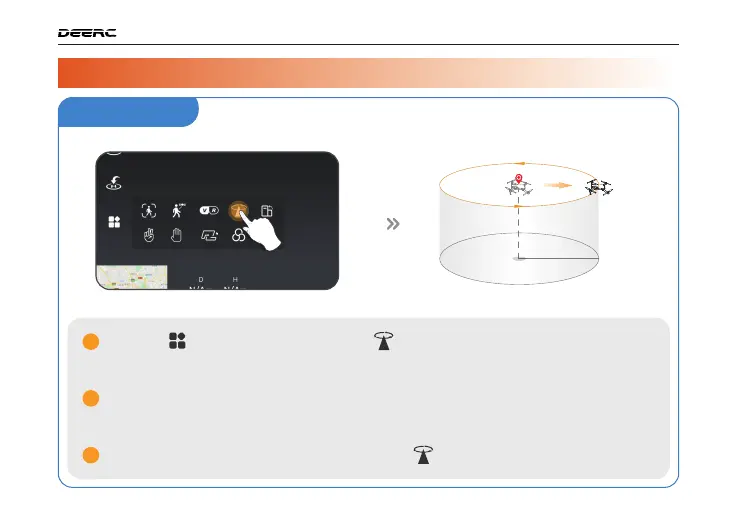
Tap the icon first, then select the icon, and follow the prompt box to
activate the Point of Interest function. You can set the circling radius in the
prompt box.
The moment you activate this function, the drone will record its current flight
position as the "point of interest". It will then continuously circle around that point
clockwise. (default radius: 16 ft)
To exit Point of Interest mode, simply tap the icon again.
1
2
3
Point of Interest
R=16 ft
DRONE FUNCTIONS / 3



 To Next Page