02
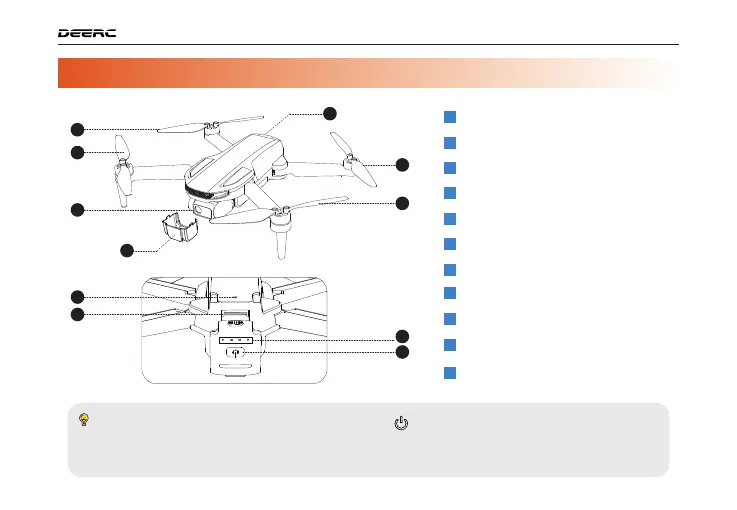
1.2 Diagram of the Drone >>
PRODUCT PROFILE / 1
· Turningon/off: Press and hold the power switch ( ) for 3 seconds to turn the drone on/off.
· Battery level Indicators: To view the current battery level, short press the power switch once
while the drone is powered off. If the battery level is too low, recharge before use.
1
2
3
4
6
7
5
9
8
10
11
Propeller A
1
Propeller B
2
Propeller B
3
4
Propeller A
5
Gimbal Cover
Gimbal and Camera
6
7
Power Switch
Optical Flow Positioning Lens
8
9
Battery Level Indicators
10
TF Card Slot
11
Drone Battery



 To Next Page