47
3.3 APP Functions >>
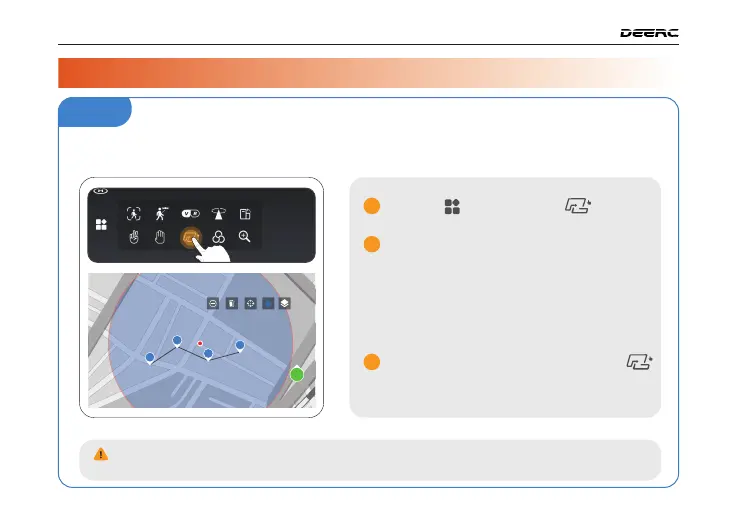
Tapfly
Tap the icon, then Tap .
You can tap a dozen of times (but no
more than 16) on the phone screen to
create a flight path. Hit "GO" to submit
the route. The drone will then fly along
the path created by connecting the
points you tap in order.
DO NOT fly the drone towards people, animals, or small/thin objects (e.g. tree branches
and power lines) or transparent objects (e.g. glass or water).
You can exit TapFly by tapping the
icon again, or pushing the right joystick
in any direction.
1
2
3
1
2
3
4
GO
3 / DRONE FUNCTIONS
Before using TapFly, pre-load the map by connecting your phone to the internet and
tapping the map icon; auto-loading occurs. Enlarging the map for TapFly is advised.



 To Next Page