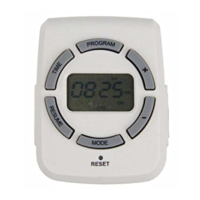
6. Once complete the programs settings, press “TIME” button or wait for 15 seconds to restore your
programs to back the standby display.
G. Photocell Setting:
Press “MODE” button to select the photocell function. Turn on the power at Dusk and turn off the
power at Dawn automatically.
H. Program + Photocell Setting:
1. Press “MODE” to select “AUTO Program + photocell setting”, then press and hold “PROG” button for
two seconds to set the off time.
2. Press “+” or “-“ button to set the desired OFF day of the week program . You can select each day
individually, Monday to Friday, Saturday/Sunday, or an entire week to have your timer turn on at dusk
and off at the set time.
3. Press the “SET” button to enter the OFF time hour setting. Press the "+" or "-" buttons to set time. Be
sure to cycle through until AM or PM appears correctly.
4. Press the “SET” button to enter the OFF time minutes setting. Press the "+" or "-" buttons to set time.
5. You can press “SET” button to enter additional programs, up to 8 off programs setting. While setting
the programs, press and hold the “SET” button to clear the set program time. Press “TIME” button or
wait for 15 seconds to store the program, and back the standby display.


 To Previous Page