EasyManua.ls Logo

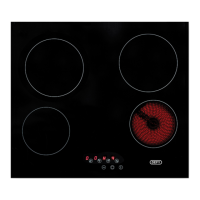
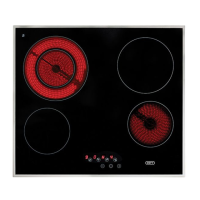
Defy DHD601 SLIMLINE HOB TC - User Manual

Defy DHD601 SLIMLINE HOB TC
20 pages
Print Icon
To Next Page IconTo Next Page
Loading...
Page 1
DHD601
SLIMLINE HOB TC
Cooking
Instruction manual
Part number: 071180

Questions and Answers

  • K
    Kelly HartAug 15, 2025
    How to fix Defy DHD601 SLIMLINE TC Hob touch controls not working?
    • B
      Bobby LeeAug 15, 2025
      If the touch controls on your Defy hob aren't working, it could be due to the Child Lock being activated; deactivate the child lock. Alternatively, the hob controls may be covered with a liquid; wipe the touch control area, ensuring you use the ball of your finger when pressing the buttons. If the problem persists, contact the Customer Care Line.
  • C
    Cindy MooreAug 18, 2025
    How to fix Defy Hob that will not turn on?
    • M
      Michael WangAug 19, 2025
      If your Defy hob won't turn on, the cause may be that there is no power to the hob. Make sure that the hob is connected to the power supply and that there is power to the wall switch. If the problem persists contact the Customer Care Line.
  • S
    Stephen HarrisonAug 21, 2025
    What does F0 error mean on my Defy DHD601 SLIMLINE TC?
    • N
      Nicole LeeAug 21, 2025
      The F0 error on your Defy hob indicates a touch control software error. Try disconnecting and reconnecting the hob to the power supply. If the error occurs suddenly during normal operation or persists, contact the customer care line.
  • R
    Robert BarberAug 25, 2025
    What does Fr error mean on my Defy DHD601 SLIMLINE TC?
    • E
      Emma JonesAug 26, 2025
      The Fr error on your Defy hob may indicate a relay driver problem. Try disconnecting and reconnecting the hob to the power supply. If the error persists, call the customer care line.
  • A
    Amy HowardAug 27, 2025
    What does FU/FJ error mean on my Defy DHD601 SLIMLINE TC Hob?
    • T
      Tricia GordonAug 28, 2025
      The FU/FJ error on your Defy hob indicates a security keyboard error. This error is a keyboard auto check and should disappear when the auto check returns to the secure value. If the error persists, call the customer care line.
  • B
    Brandon EvansAug 30, 2025
    What does FA error mean on my Defy DHD601 SLIMLINE TC Hob?
    • A
      Amanda WhitakerAug 31, 2025
      The FA error on your Defy hob indicates a security software error. This error is a keyboard auto check and should disappear when the auto check returns to the secure value. If the error persists, call the customer care line.
  • D
    Derek CopelandSep 3, 2025
    What does FC/Fd error mean on my Defy Hob?
    • B
      Brandon BryantSep 3, 2025
      The FC/Fd error on your Defy hob indicates a security software error. This error is a keyboard auto check and should disappear when the auto check returns to the secure value. If the error persists, call the customer care line.
  • B
    brewerstevenSep 6, 2025
    What does Fc error mean on my Defy DHD601 SLIMLINE TC?
    • D
      Daniel SmithSep 6, 2025
      The Fc error on your Defy hob means that the touch control zone is too hot and has turned off all the heaters. Wait until the temperature goes down; the hob will automatically recover when the temperature reaches a normal value.
  • J
    jessica16Sep 8, 2025
    What does Ft error mean on my Defy DHD601 SLIMLINE TC?
    • C
      Christopher SummersSep 8, 2025
      The Ft error on your Defy hob indicates that the touch control temperature sensor may be damaged. Wait until temperature goes down. If the message persists then contact the customer care line.
  • N
    Nicole FrazierSep 12, 2025
    What does FE error mean on my Defy Hob?
    • D
      David DaughertySep 12, 2025
      The FE error on your Defy hob indicates that the touch control temperature sensor may be damaged. Wait until temperature goes down. If the message persists then contact the customer care line.

Summary

Technical Specifications

Important Safety Instructions

General Safety

General safety precautions and guidelines for appliance use.

Electrical Safety

Safety measures related to electrical connections and potential hazards.

Product Safety

Safety considerations regarding the product itself and its parts.

Intended Use

Defines the proper and intended use of the appliance.

Safety for Children

Measures to ensure the safety of children around the appliance.

Package Information

Information regarding the packaging materials and disposal.

Future Transportation

Guidelines for transporting the appliance safely.

Installation

Preparation of Location and Electrical Installation

Steps for preparing the installation site and electrical connections.

Before Installation

Precautions and requirements before commencing installation.

Cupboard Design

Considerations for cabinet design and materials for heat resistance.

Installation and Connection

Procedures for connecting the appliance to the power supply.

Safety Installation

Ensuring the appliance is installed safely with proper clearances.

Fitting the Hob

Instructions for physically fitting the hob into the worktop.

Preparation

Tips for Energy Saving

Advice on using the hob efficiently and saving energy.

Initial Use

Steps to follow for the first time the appliance is used.

First Cleaning of the Appliance

Instructions for cleaning the appliance before its initial use.

Controls

Switching the Cooktop On and Off

How to turn the hob on and off using the power button.

Changing the Power Level of a Cooking Zone

Adjusting the heat output for individual cooking zones.

Activating the Triple Zone

Instructions for using the multi-ring cooking zone feature.

Activating the Child Lock

How to enable and disable the child lock feature.

Using the Timer

Setting and adjusting the cooking timer for zones.

Overflow Safety

Functionality when liquid or object is detected on controls.

Automatic Safety Off

Hob automatically switches off if power level is not changed.

Maintenance and Care

How to Clean the Surface

Methods for cleaning the hob surface based on the type of soiling.

Cookware Recommendations

Advice on suitable cookware for optimal performance and care.

Troubleshooting

Appliance Errors

Common issues and owner responsibilities for faults.

Before Calling a Service Centre

Checks to perform before contacting customer support.

Troubleshooting Table

A table detailing problems, reasons, and solutions.

Error Codes

Explanation of error codes displayed on the hob.

Installation Checklist

Branches

Warranty

Defy DHD601 SLIMLINE HOB TC Specifications

General IconGeneral
BrandDefy
ModelDHD601 SLIMLINE HOB TC
CategoryHob
LanguageEnglish

Related product manuals