EasyManua.ls Logo

Defy DHD406 - User Manual

Defy DHD406
19 pages
Print Icon
To Next Page IconTo Next Page
Loading...
Page 1
DHD494
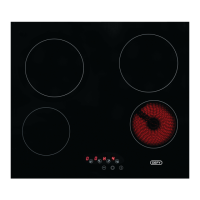
SLIMLINE HOB TC
Cooking
Instruction manual
Part number: 071979

Questions and Answers

  • G
    gpaulAug 18, 2025
    What to do if my Defy DHD406 will not turn on?
    • S
      Susan ThomasAug 18, 2025
      If your Defy Hob isn't turning on, it might not be properly connected to the power supply, or there could be an issue with the wall switch. Check that the hob is connected to the power supply and that there is power at the wall switch.
  • M
    matthew57Aug 21, 2025
    Why is my Defy Hob beeping?
    • R
      Richard SullivanAug 21, 2025
      Your Defy Hob might be beeping because the timer is over, resulting in two long beeps every 5 seconds for one minute. Alternatively, there could be an object or liquid on the controls, causing two short beeps and one long beep every 30 seconds. To resolve this, press any button to turn off the alarm if the timer is the cause. If it's due to an object or liquid, remove the object or wipe the touch control area.
  • C
    christianscottAug 23, 2025
    Why are the cooking zones on my Defy DHD406 turning off by themselves?
    • K
      Kathy SmithAug 23, 2025
      The cooking zones on your Defy hob may be turning off automatically to prevent overheating. Refer to the table for the maximum time a cooking zone may be on for.
  • W
    wpayneAug 26, 2025
    What to do if the touch controls on my Defy DHD406 Hob are not working?
    • M
      Mary MillerAug 26, 2025
      If the touch controls on your Defy Hob aren't working, it could be due to the Child Lock being activated. Deactivate the child lock. Alternatively, the hob controls might be covered with a liquid. Wipe the touch control area, ensuring you use the ball of your finger when pressing the buttons.
  • Z
    Zachary SwansonAug 28, 2025
    What does 'F0' mean on my Defy DHD406 Hob?
    • C
      Carl BakerAug 28, 2025
      The 'F0' error code on your Defy Hob indicates a touch control software error. Disconnect and reconnect the hob to the power supply. If the error occurs suddenly in a normal operation or if the error persists, contact the customer care line.
  • M
    Margaret KelleyAug 31, 2025
    What does 'Fc' mean on my Defy DHD406?
    • E
      Eric DiazAug 31, 2025
      The 'Fc' error on your Defy hob means that the touch control zone is too hot and has turned off all the heaters. Wait until the temperature goes down; the hob will automatically recover when the temperature reaches a normal value.
  • J
    John WilliamsSep 2, 2025
    What does 'Ft' mean on my Defy DHD406?
    • J
      John CastroSep 2, 2025
      The 'Ft' error on your Defy hob suggests that the touch control temperature sensor may be damaged. Wait until temperature goes down. If the message persists then contact the customer care line.
  • F
    Frank StewartSep 4, 2025
    What does 'FE' mean on my Defy DHD406 Hob?
    • J
      Justin CampbellSep 5, 2025
      The 'FE' error on your Defy hob indicates that the touch control temperature sensor may be damaged. Wait until temperature goes down. If the message persists then contact the customer care line.
  • T
    Timothy MillerSep 7, 2025
    What does 'FU/FJ' mean on my Defy Hob?
    • A
      April FisherSep 7, 2025
      The 'FU/FJ' error on your Defy hob indicates a security keyboard error. This error is a keyboard auto check and should disappear when the auto check returns to the secure value. If the error persists, call the customer care line.
  • J
    johnmartinezSep 9, 2025
    What does 'FA' mean on my Defy Hob?
    • Q
      qbooneSep 10, 2025
      The 'FA' error on your Defy hob signals a security software error. This error is a keyboard auto check and should disappear when auto check returns to the secure value. If the error persists, call the customer care line.

Summary

Important Safety Instructions

General and Electrical Safety

Covers user suitability, supervision, authorized repairs, grounding, connection, and water use precautions.

Product Safety and Fire Risks

Addresses hot surfaces, child safety around heating elements, flammable materials, and unattended cooking hazards.

Intended Use and Child Safety

Specifies domestic use, cooking purpose, and child safety measures including packaging and appliance interaction.

Package and Transportation Safety

Details safe disposal of packaging materials and proper procedures for transporting the appliance.

Installation

Preparation and Pre-installation Checks

Covers site preparation, worktop requirements, and safety distances before commencing installation.

Cupboard Design and Electrical Connection

Details cabinet requirements and outlines national electrical regulations for power supply connection.

Earth Leakage and Aperture Specifications

Addresses earth leakage system compatibility and provides dimensions for the hob aperture.

Safety Installation and Hob Fitting

Details safety clearances, board placement, side clearances, and the process of securing the hob.

Preparation and Initial Use

Energy Saving Tips

Provides advice on efficient cooking, pot selection, lid usage, and residual heat utilization.

Initial Cleaning and Use

Guides on removing packaging, initial cleaning, and important notes on surface care.

Controls and Operation

Switching Cooktop On;Off

Explains the procedure for powering the hob on and off, including audible signals.

Adjusting Cooking Zone Power

Details how to select a zone and increase or decrease its power level using the controls.

Dual Zone and Timer Functions

Guides on activating dual zones and setting the cooking timer for specific zones.

Child Lock and Safety Features

Explains child lock, automatic safety shut-off based on time, and overflow safety detection.

Maintenance and Care

Vitroceramic Hob Tips

Provides advice on energy conservation, spill minimization, pot compatibility, and material care.

Cleaning Glass Ceramic Surfaces

Details methods for cleaning glass ceramic surfaces, addressing specific stain types and cleaning agents.

Troubleshooting

Appliance Errors and Owner Responsibility

Lists common issues not covered by warranty, such as damage and misuse, and owner responsibilities.

Troubleshooting Table

Provides a guide to diagnose and resolve common hob problems like no power, zones turning off, or control issues.

Error Codes and Solutions

Explains various error codes displayed on the hob and their corresponding solutions or actions required.

Installation Checklist and Warranty

Installation Check List

A checklist to verify correct installation, including earthing, secure fitting, and function testing.

Warranty Terms and Conditions

Details the two-year warranty, exclusions, conditions for validity, and liability limitations for the appliance.

Defy DHD406 Specifications

General IconGeneral
Hob TypeGas
Number of Cooking Zones/Burners4
Surface MaterialEnamel
Safety FeaturesFlame Failure Device
Gas TypeLPG

Related product manuals