Dejavoo Systems Instruction Manual V525.15 7
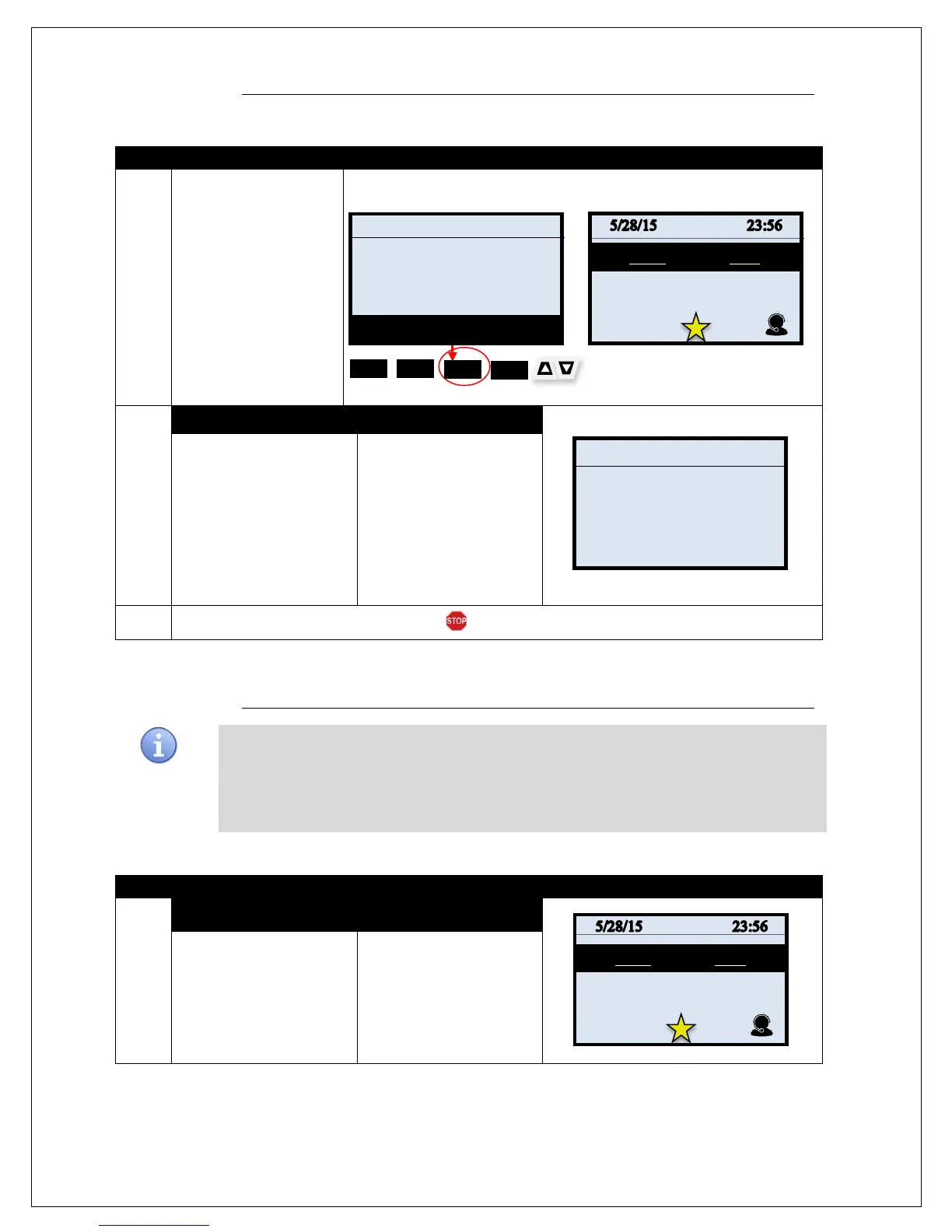
SAVING MENU OPTIONS TO “FAVORITES”
1.
you can access your list
of Favorites by pressing
the F3 KEY (NON Touch
Screen) located
underneath the word
“favorites”. Or by
pressing the STAR icon
on the bottom of the
display (touch screen)
(see illustration on right)
NON TOUCH SCREEN TOUCH SCREEN
\
2.
NON TOUCH SCREEN TOUCH SCREEN
The menu items you have
designated as favorites
display as your
customized menu.
Use the arrow (non touch
screen) navigation keys to
locate and highlight the
desired option.
Press the Green OK key
to select. .
Use your
fingertip to select the
desired option
(touchscreen)
3.
The terminal initiates the selected action.
MANAGING “FAVORITES”
From time to time it may become necessary for the user to
manage the favorites they
previously set up. This too can be done from the terminal level. The following options are
provided to Manage the terminal’s Favorites Menu:
List Delete Add All Apps Print
1.
NON TOUCH SCREEN TOUCH SCREEN
From the idle prompt
access the Core menu
options by pressing the
Green OK key .
From the idle prompt
access the Core menu
options by pressing the
Green OK key .
SALE
Enter Amount
0: Core Settle Daily Batch
1: Core Daily Report
2: Core Summary Report
3: Void CR/DB Trans
4: Reprint CR/DB Rcpt



 To Next Page