Dejavoo Systems Instruction Manual V525.15 76
RETRIEVE PASSWORD (CORE MENU)
When a password is forgotten it is possible to retrieve it at the terminal. To do this, the
terminal will prompt for the answer to the security information previously set up when the
password was first edited from the default password of 1234. For more information on how to
edit the password see page 139.
Use the steps below to retrieve a forgotten password from the terminal.
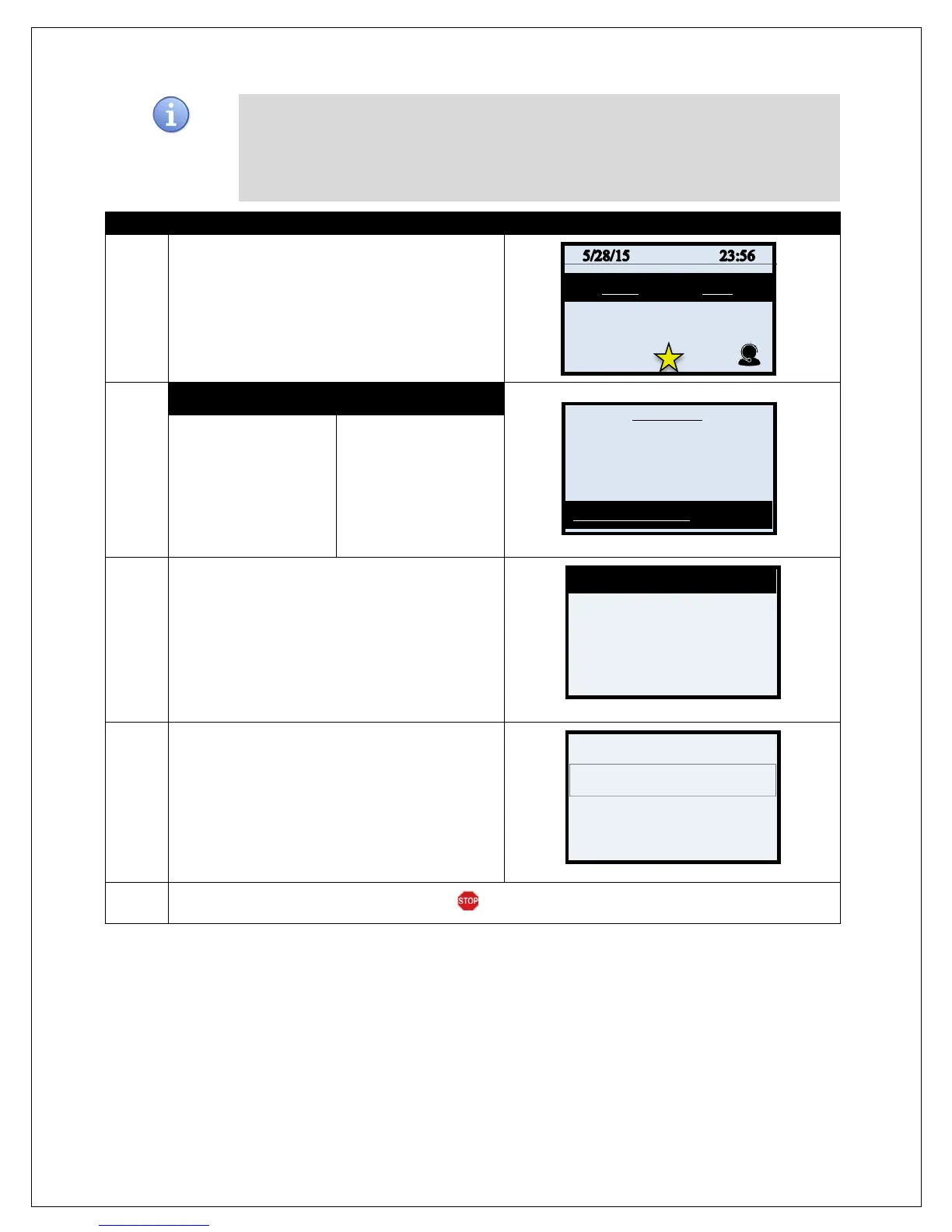
1.
From the idle prompt press the OK key to access
the Core Menu.
2.
NON TOUCH SCREEN
TOUCH SCREEN
Use the # down
arrow to highlight
RETRIEVE
PASSWORD
Press the Green OK
key to select.
Using your fingertip
TAP the words
RETRIEVE
PASSWORD
* If prompted input
password, default is 1234
3.
Use the alphanumeric keypad to input the answer
to your previously set up security question.
Press the Green OK key to confirm your answer.
4.
The terminal will display the current password for
3 seconds.
5.
Terminal returns to the Security main menu.
Settlement ->
Reports ->
Favorites ->
Utility ->
Last 4 SS#
# # # #



 To Next Page