Installation
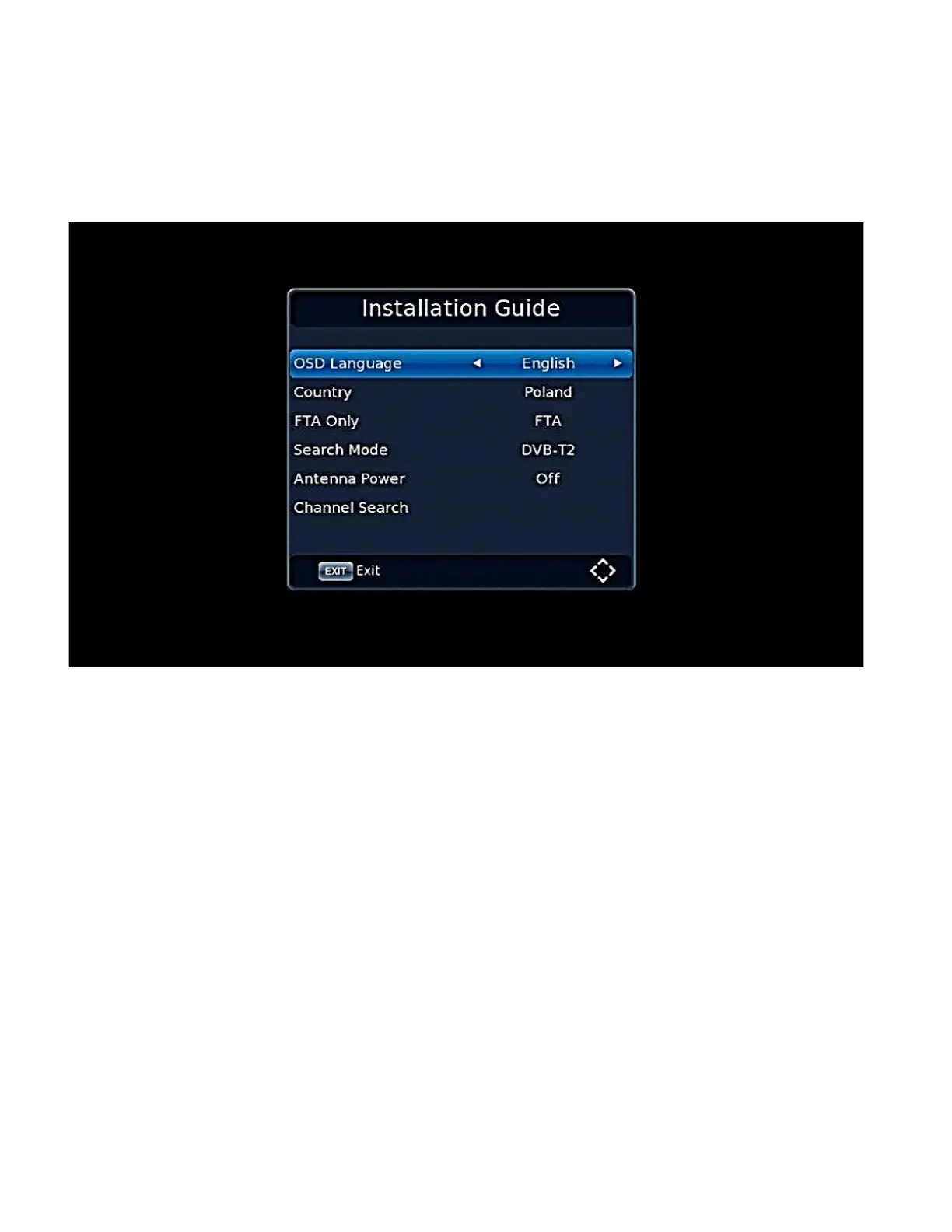
By default, when there is no TV or radio channels, tuner displays installation start screen. Press the
CONTROL KEY [▲ / ▼] to move the motion cursor. Move the cursor to Channel Search and press
[OK] to start the automatic channel search.
Select:
• OSD Language to change your default language
• Country to change country settings
• FTA Only to select only Free To Air channels
• Search Mode to change DVB-T/T2 or DVB-C
• Antenna Power if your antenna requires additional power supply
• Channel Search to start searching for channels


 To Next Page