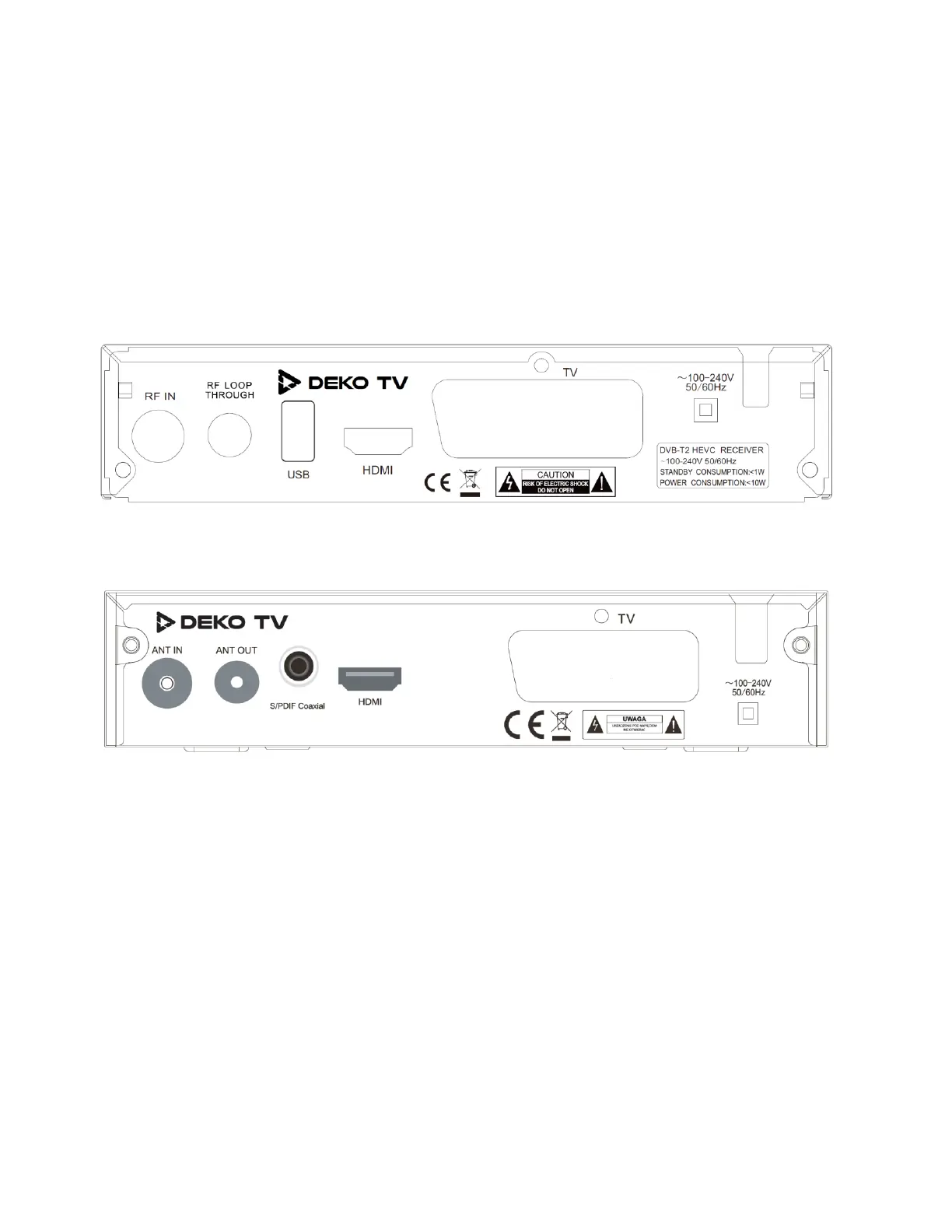
Hardware interface
Installation manual
RF IN port: connect an antenna cable for DVB-C or DVB-T2 signals
RF LOOP: connect output cable for DVB-C or DVB-T2 signals (optional)
USB port: insert a USB drive, hard disk drive, WiFI USB module
HDMI output: connect the HDMI port of the TV set using an HDMI cable
SCART output: connect the SCART port of the TV set (in case of lack of HDMI port in TV)
DEKO TV PRO 2
DEKO TV PRO


 To Next Page