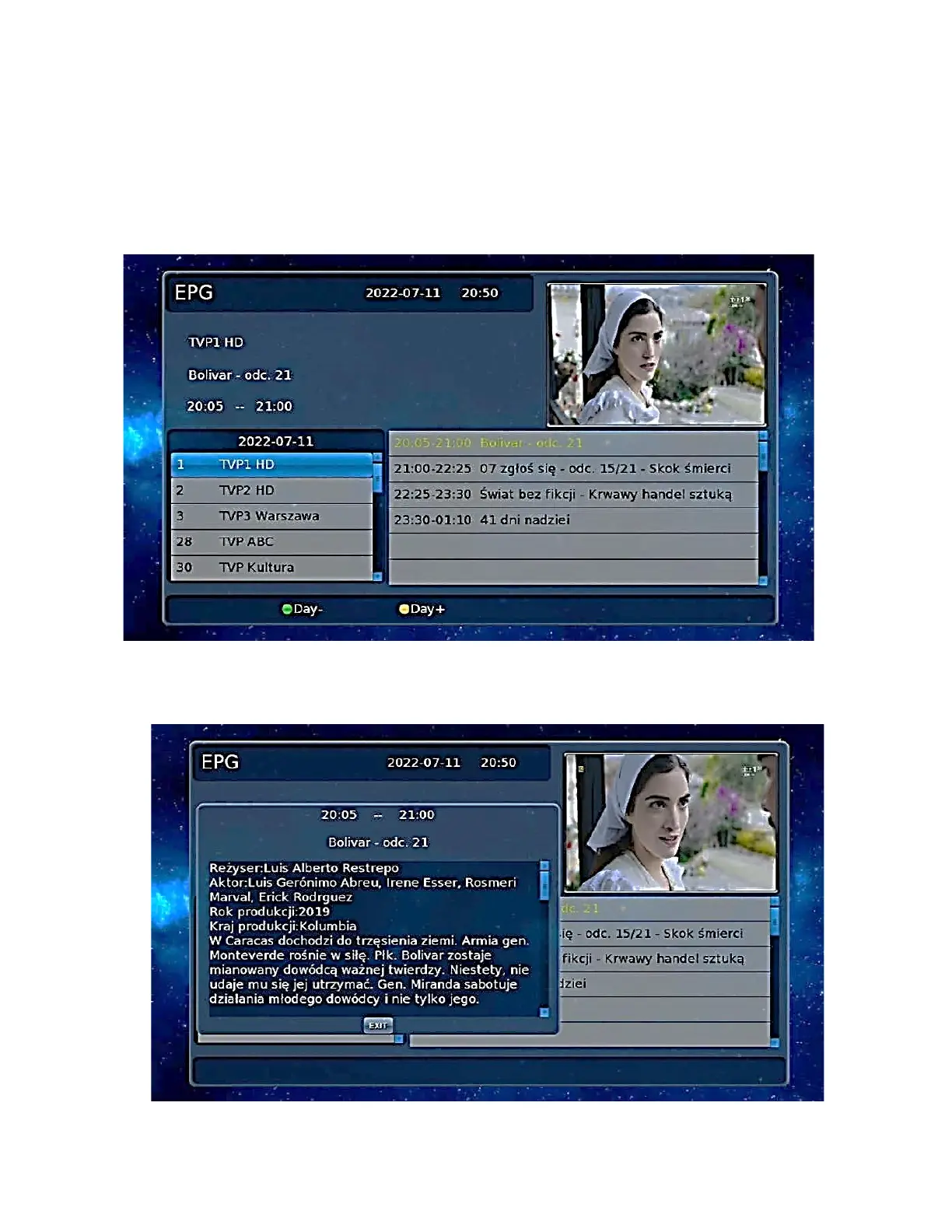
EPG Program Guide
Press the EPG shortcut to enter the program guide.
Press [OK] to display the EPG information of the channel.
In the EPG menu, press [▲ / ▼] to switch the current program if the current program contains EPG
information.
Press the [►] key to move the cursor to the EPG Display Window of the respective program to get
more information about the program.
EPG information for the following days: [GREEN BUTTON ] - the day before [YELLOW BUTTON] -
the day after.
EPG information for a particular program can also be displayed using the [INFO] key on the remote
control while watching a program.


 To Next Page