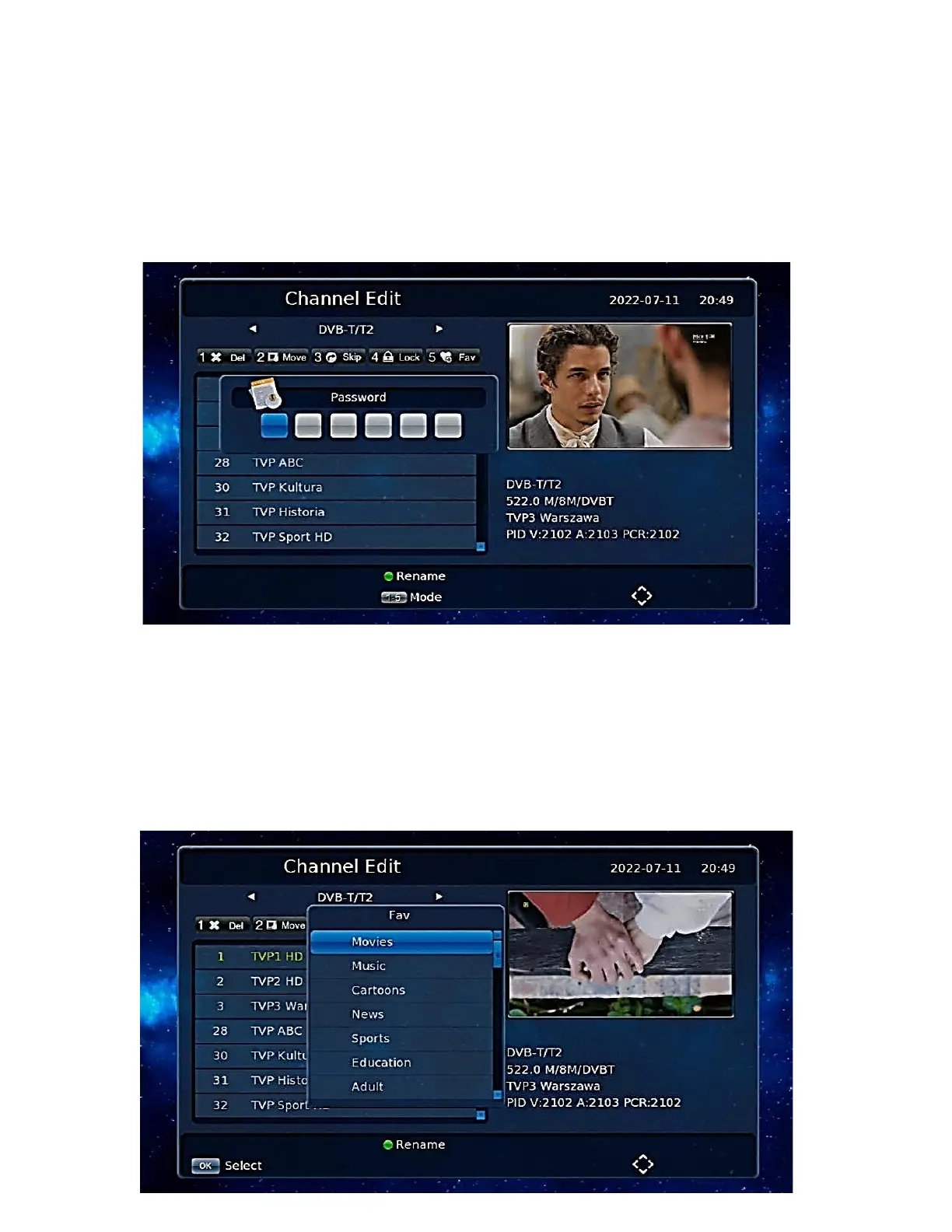
Channel lock
Press the [4] Lock button on the screen to enter channel lock mode.
To access this section you need to enter the decoder password, which is set to 000000 by default,
which can be changed in the Decoder Menu. Select the channels to be locked and press [OK].
When a channel is locked, you will be prompted to enter the password each time.
Only when the correct password is entered can the channel be played.
Add a favorite group
Press the [5] Fav button on the screen to enter add favorite channels. Move the cursor to the
channel to be added to the favorite groups. Press the [OK] key to confirm. The same channel can be
added to different favorite groups.
Press the [EXIT] key to exit the favorite groups category field. Channels that are added to a favorite
group will have a flag of favorites.


 To Next Page