Software update.
Download software update file
The latest software update files can be found at www.dekoelectronics.com in the "Downloads" tab.
Detailed step-by-step instructions for updating the software can also be found there.
Uploading software to your decoder
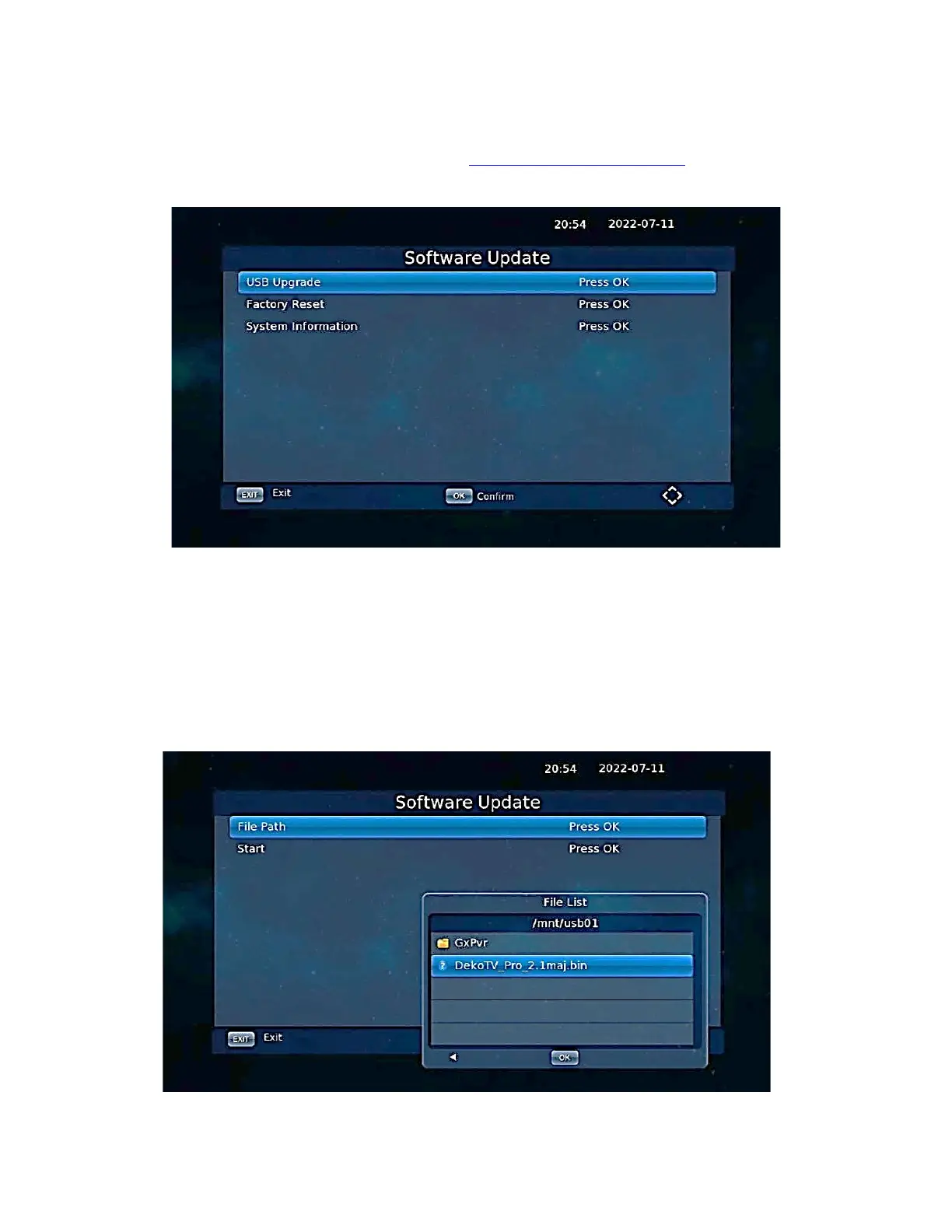
Select Software Update from the Main Menu and press [OK].
Select USB update and indicate the path to the software file on the memory stick, then click [OK] to
start the update process.
CAUTION:
Do not unplug the decoder during the update process.
NOTE:
With latest Software, the decoder can be also updated via Internet, directly with the Decoder Menu.


 To Next Page