3.
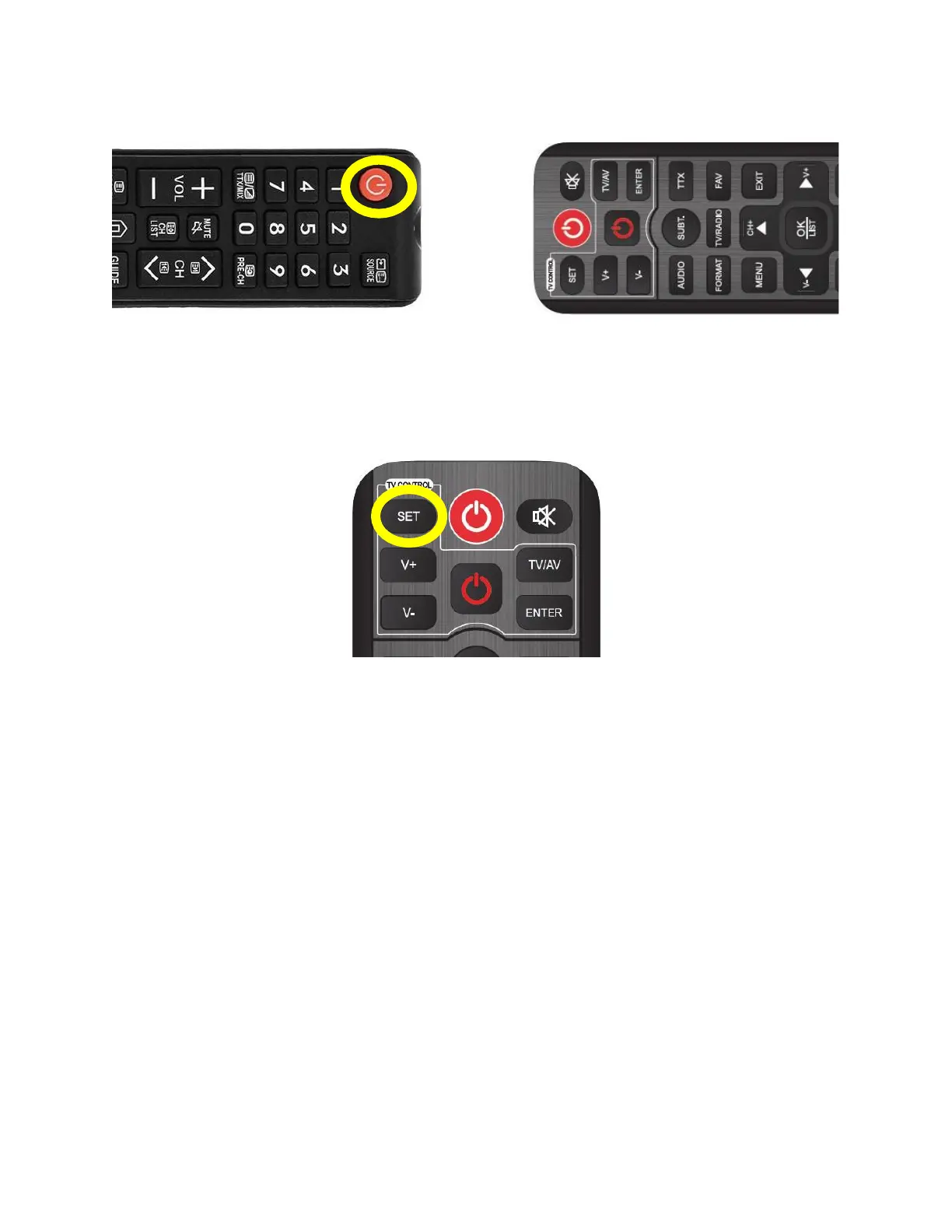
Align the remote controls with the LEDs facing each other at a maximum distance of 3 cm and press the
button on the external remote control that you want to store in the DEKO TV remote control - e.g. Power.
The red LED will flash three times to indicate that the function of the button has been correctly stored.
Max 3cm
Align the remote controls with the LEDs facing each other and press the button to be saved, e.g. Power
4.
Press the "SET" button on the DEKO TV remote control to complete the pairing mode.
Press the SET button to complete the pairing process.
You can now use the DEKO TV remote control to turn your TV on and off, for example. Start the process
again to assign the remaining buttons.
NOTE!
The "SET" button is not programmable. Any 5 buttons from another remote control can be programmed,
regardless of their function.


 To Next Page