MEMORY function - controlling the TV set from the DEKO TV remote control
With the supplied MEMORY remote control, you can operate both the DEKO TV decoder and the TV set to
which it is connected with one remote control.
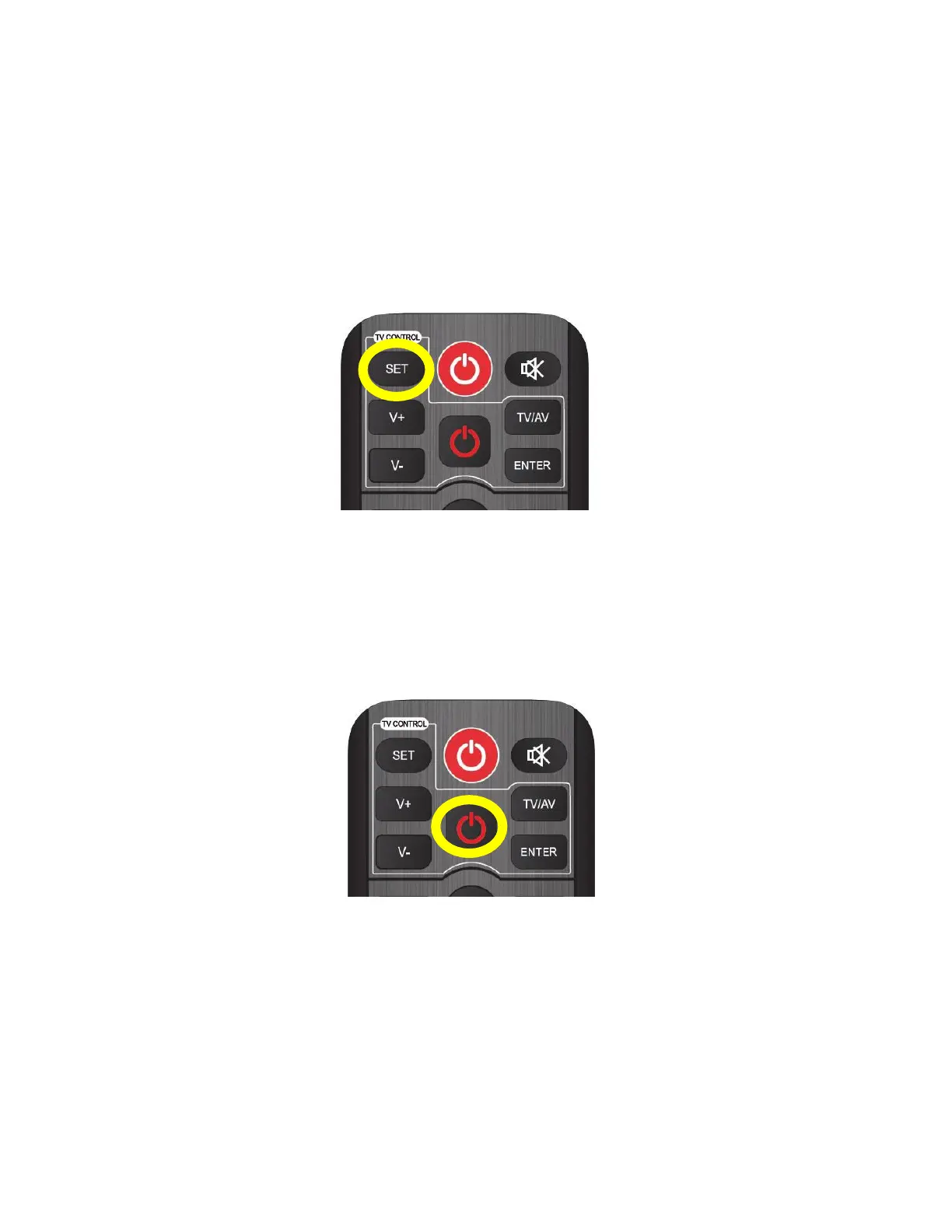
Instructions for programming the buttons in the "TV Control" section of the DEKO TV remote control:
1.
Press and hold the "SET" button for approx. 2 seconds until the red button lights up brighter. The remote
control will enter button pairing mode.
Hold down the SET button on the Deko TV remote control
2.
On the DEKO TV remote control, press once the button from the TV Control section that you want to
program, such as Power. The LED will start flashing slowly, indicating that it is listening for IR commands.
Select a button for pairing, e.g. Power.


 To Next Page