Using Your Projector 39
a
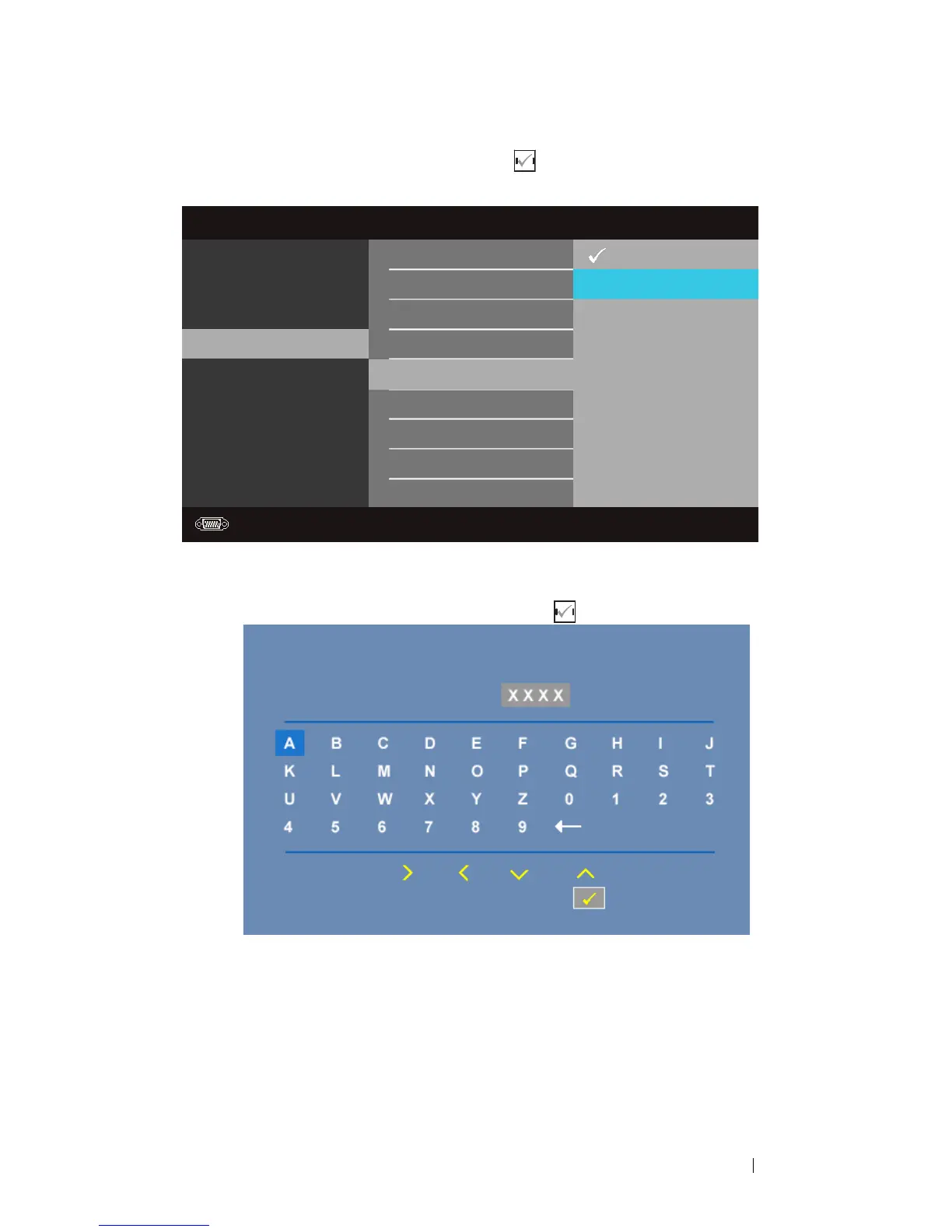
Go to
Menu Settings
menu, press and then select Password to
Enable
the password setting.
b
Enabling the Password function will pop up a character screen, key in a 4-
digit number from the screen and press .
c
To confirm, enter the password again.
d
If the password verification is successful, you may resume with accessing
the projector's functions and its utilities.
2
If you have entered an incorrect password, you will be given another 2
chances. After the three invalid attempts, the projector will automatically
turn off.
Advanced Settings
Image Settings
Display Settings
Projector Settings
Menu Settings
Power Settings
Information
Dell
1420X
Resolution: 1440x1050
Menu Position
Menu Timeout
Change Password
Disable
Enable
Menu Transparency
Menu Lock
Password
Delete
Please key in new password
Password (4 character code):
PPID
CN-0R3KXG-S0081-137-0004
Select
Confirm
Enter
Exit



 To Next Page