24
|
Installation
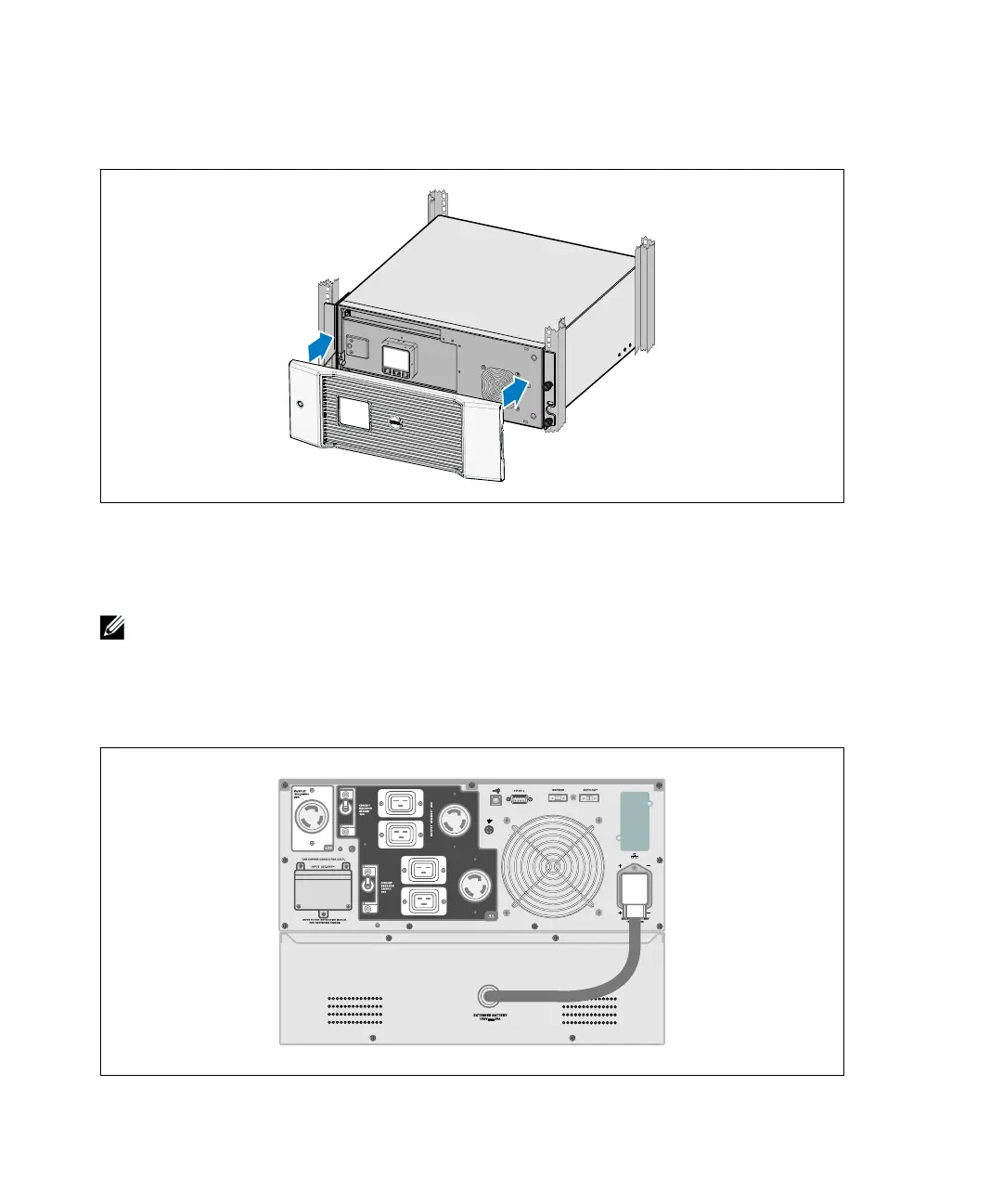
12 Install the UPS front cover (see Figure 16).
Figure 16. Installing the UPS Front Cover
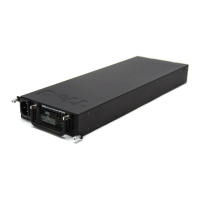
Installing the EBM
NOTE: A small amount of arcing may occur when connecting an EBM to the UPS. This is normal and will not
harm personnel. Insert the EBM cable into the UPS battery connector quickly and firmly.
To install the optional EBM:
1 Plug the EBM cable into the UPS battery connector (see Figure 17).
Figure 17. EBM Installation


 To Next Page