28
|
Installation
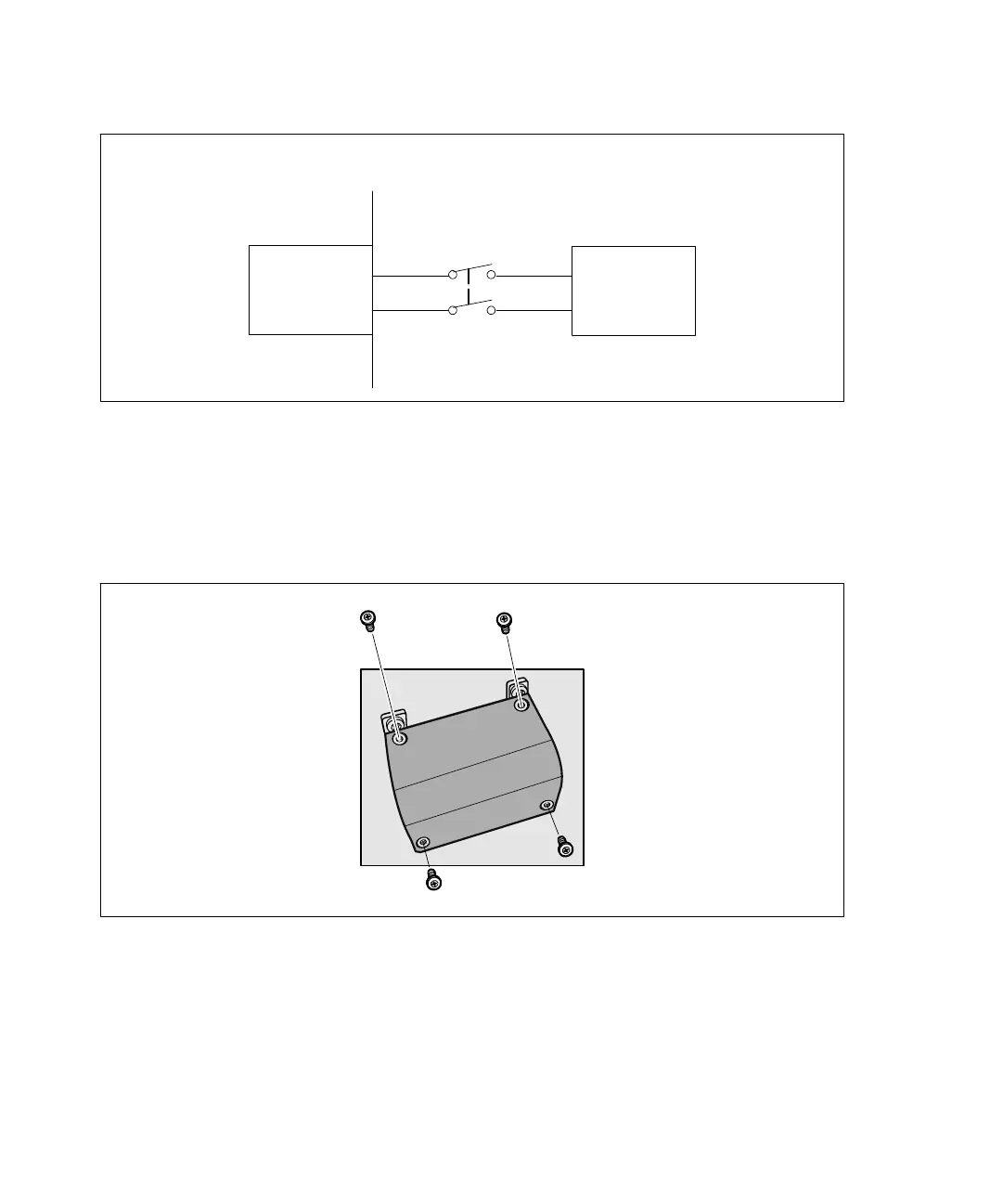
AC Mains
Wall
2-pole
Breaker
UPS
Line
Neutral
Figure 19. Circuit Breaker Diagram
To hardwire the UPS input:
1 Switch off utility power at the distribution point where the UPS will be connected. Be absolutely
sure there is no power.
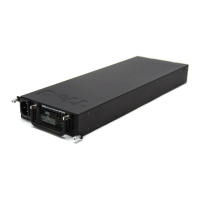
2 Remove the terminal block cover (four screws) and retain.
Figure 20. Removing the Terminal Block Cover
3 Punch a hole in the terminal block cover for the input conduit using a Greenlee
®
punch or similar
device. The hole accommodates 3/4” or 1” IMC conduit.
4 Pull the input wire through the conduit, leaving approximately 2 ft (0.5m) of exposed wire. Attach
a flexible metal fitting to the end of the conduit.


 To Next Page