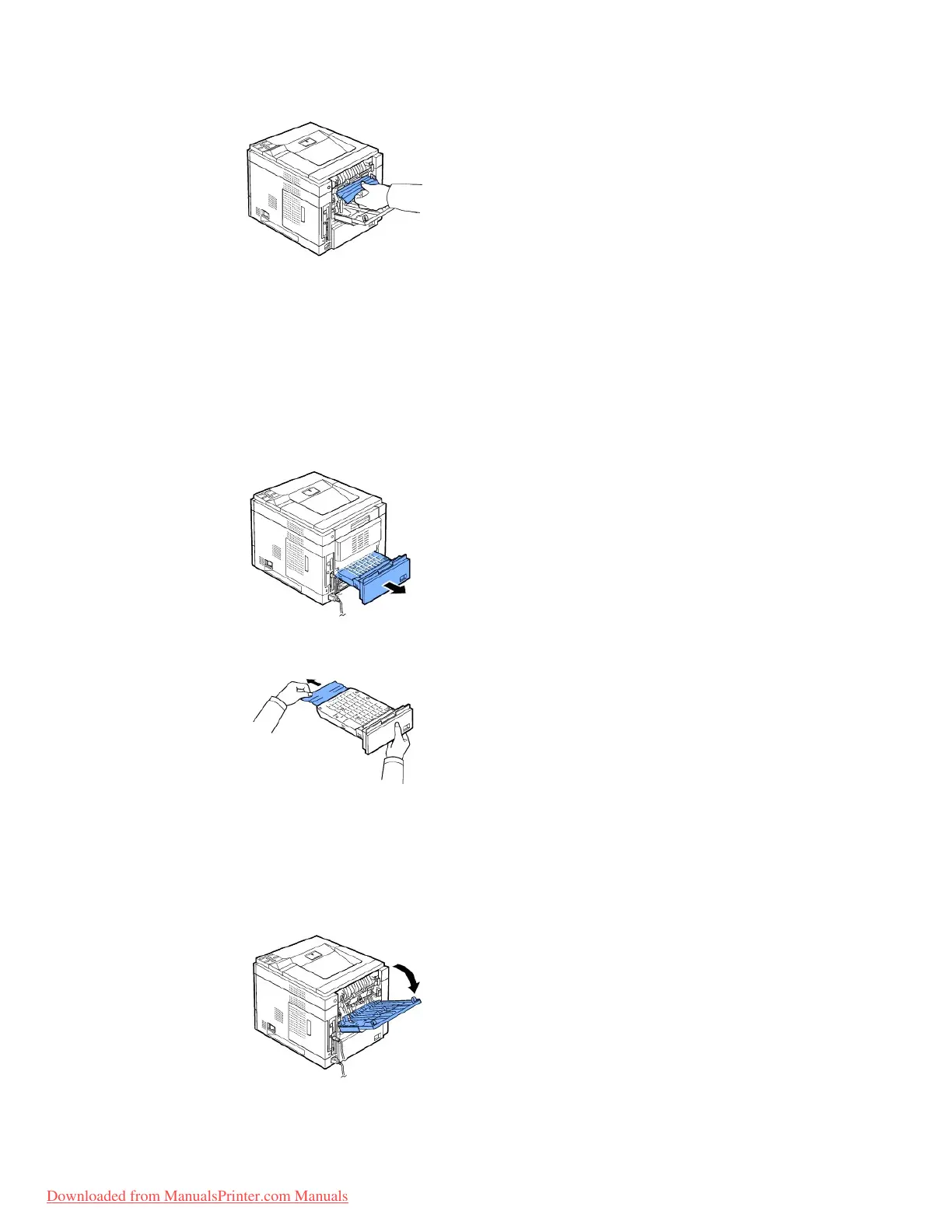
9. Return the fuser lever to original position and insert the rear door connector in the printer.
10. Return the pressure levers to their original position and close the rear door.
Printing automatically resumes.
In the Duplex Unit Area
If the the duplex unit is not inserted correctly, paper jam may occur. Ensure that the duplex unit is inserted correctly.
Duplex jam 0
1. Pull the duplex unit out of the printer.
2. Locate the paper and remove it.
3. Insert the duplex unit into the slot.
4. Open and close the top cover. The printer will resume printing.
Duplex jam 1
1. Open the rear door.














 To Next Page