Dave Pimm – Avid Technology – Dec 24th, 2014
Rev A
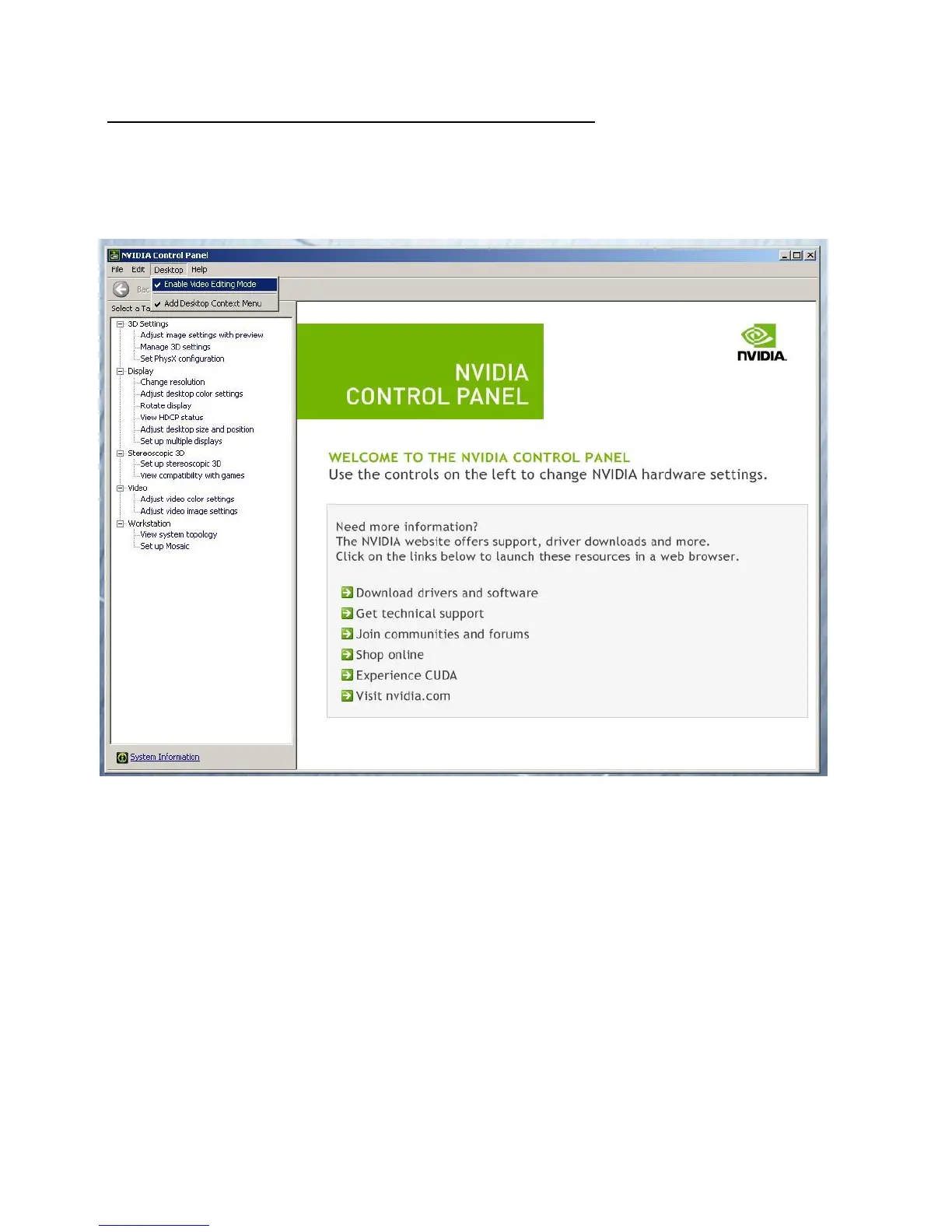
Set optimized Nvidia driver settings for Avid editing environments:
1. See picture below
2. Right-Click on the desktop and select Nvidia Control Panel
3. Select the “Desktop” menu selection in the control panel menu bar.
4. Enable “Desktop -> Video Editing Mode
5. Select Manage 3D Settings
6. Select “Global Settings” Tab
7. Under the “Global Settings” tab select “3D App – Default Global Settings”
8. Scroll down and locate the “Power Management Mode” feature. The default setting is “Adaptive”





 To Next Page