12 Getting Started
www.dell.com | support.dell.com
Setting Up Your Printer
NOTE: The Dell Photo Printer 720 supports Microsoft® Windows® 2000 and Windows XP.
Follow the instructions on the Setting Up Your Printer poster to install the hardware and
software. If you encounter problems during setup, see "Setup Problems" on page 31.
Accessing Your
User’s Guide
Click Start→Programs or All Programs→Dell Printers→Dell Photo Printer 720→View Dell
User’s Guide.
NOTE: You cannot access your
User’s Guide
until you have installed the drivers for your printer.
Understanding the Printer Software
The printer software includes:
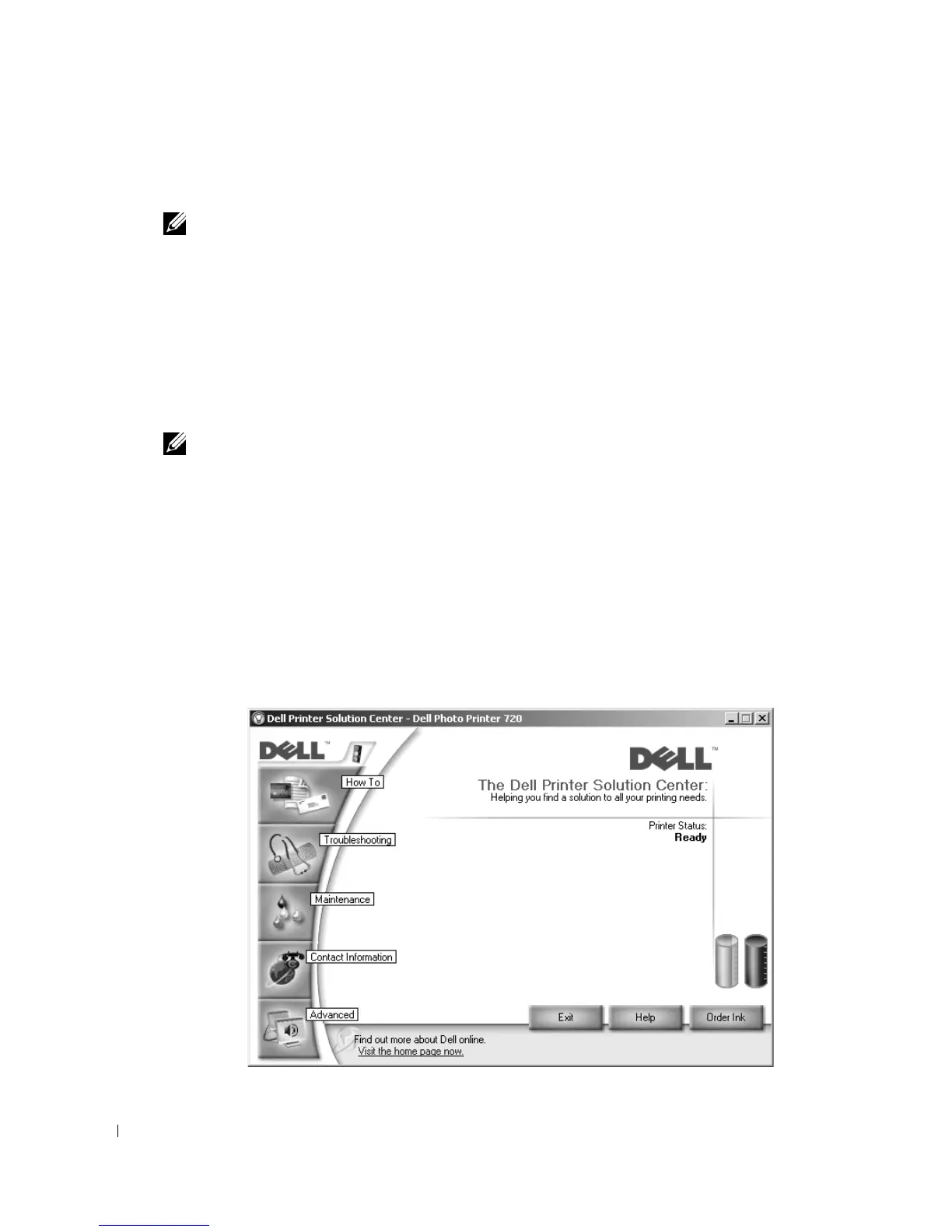
• Dell Printer Solution Center — Provides maintenance and troubleshooting help, basic
usage information, and how-to’s for creating projects.
• Printing Preferences — Allows you to adjust printer settings.
Using the Dell Printer Solution Center







 To Next Page