14 Getting Started
www.dell.com | support.dell.com
To access the Dell Printer Solution Center:
Click Start→Programs or All Programs→Dell Printers→Dell Photo Printer 720→Dell Printer
Solution Center.
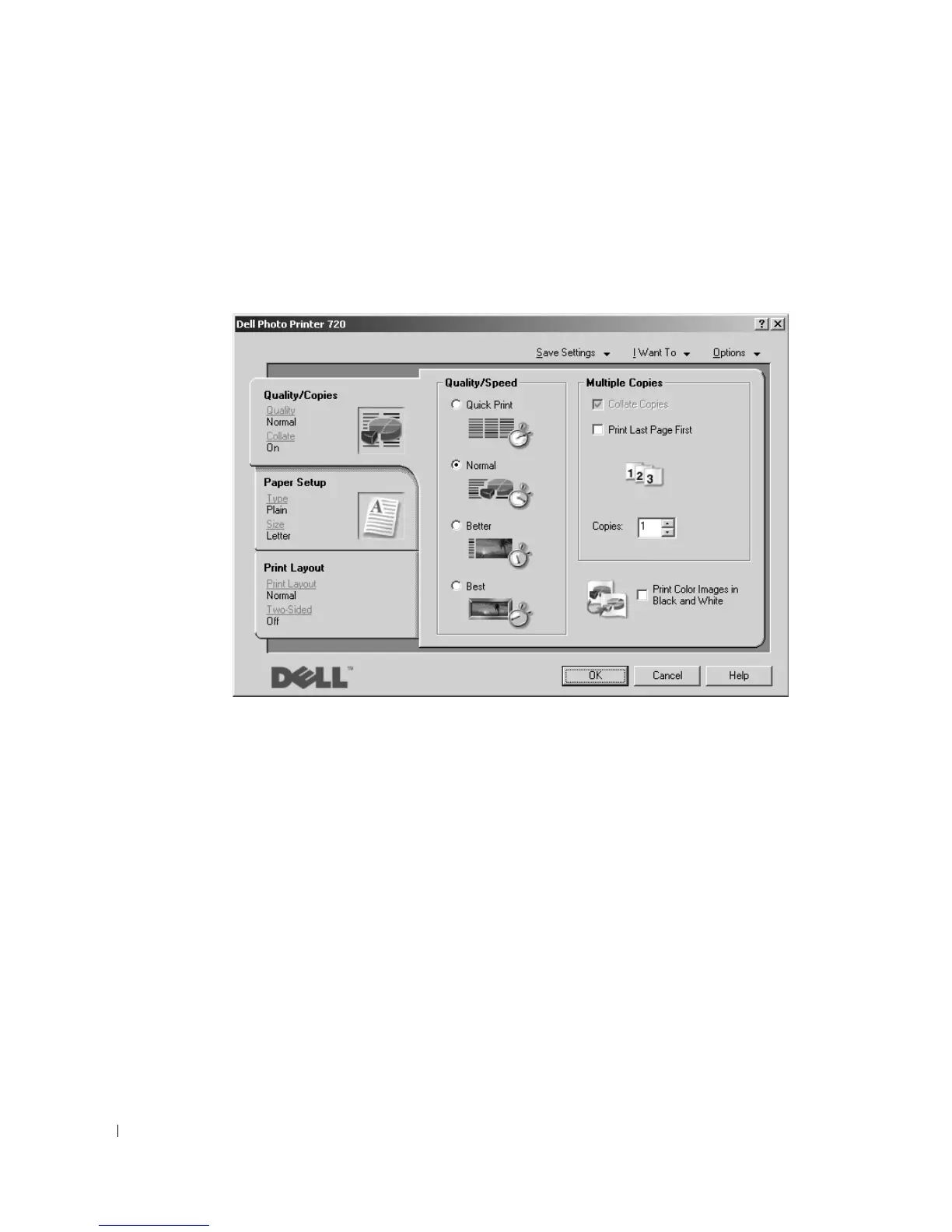
Using Printing Preferences
Printing Preferences allows you to change the various printer settings. You can change your
printer settings in Printing Preferences depending on the type of project you want to create.
To access Printing Preferences:
1 With your document open, click File→Print.
The Print dialog box appears.
2 In the Print dialog box, click Preferences, Properties, Options, or Setup (depending on the
program or operating system).
The Printing Preferences screen appears.







 To Next Page