Ink Cartridge Maintenance 25
5 Store the cartridges in an air-tight container or dispose of them properly.
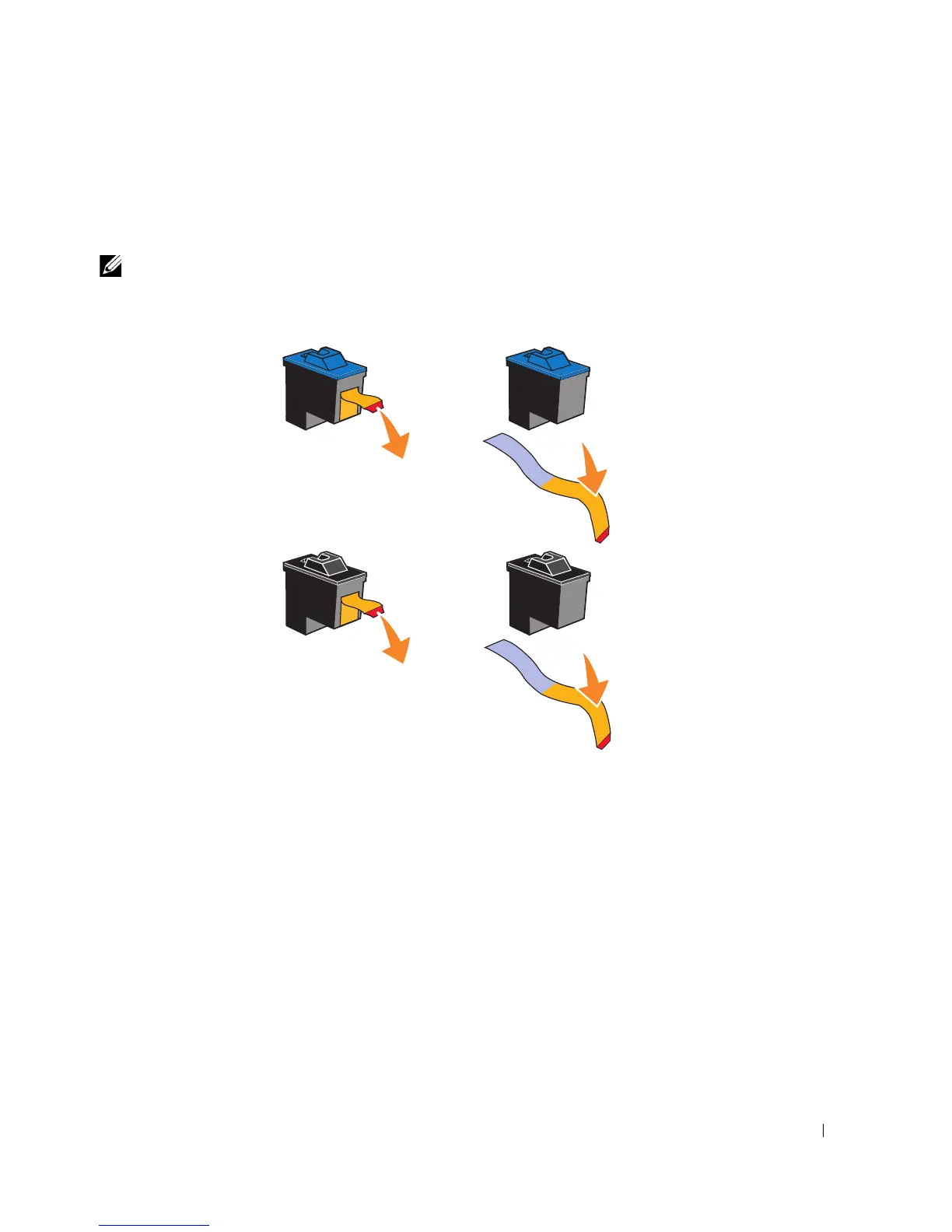
6 If you are installing new ink cartridges, remove the sticker and transparent tape from the
back and bottom of each ink cartridge.
NOTE: You can use your printer with one cartridge (color or black) at a time. To extend the life of
your color cartridge and improve printing speed, install both a color cartridge and a black cartridge
at the same time.








 To Next Page