Setting Up the Monitor | 23
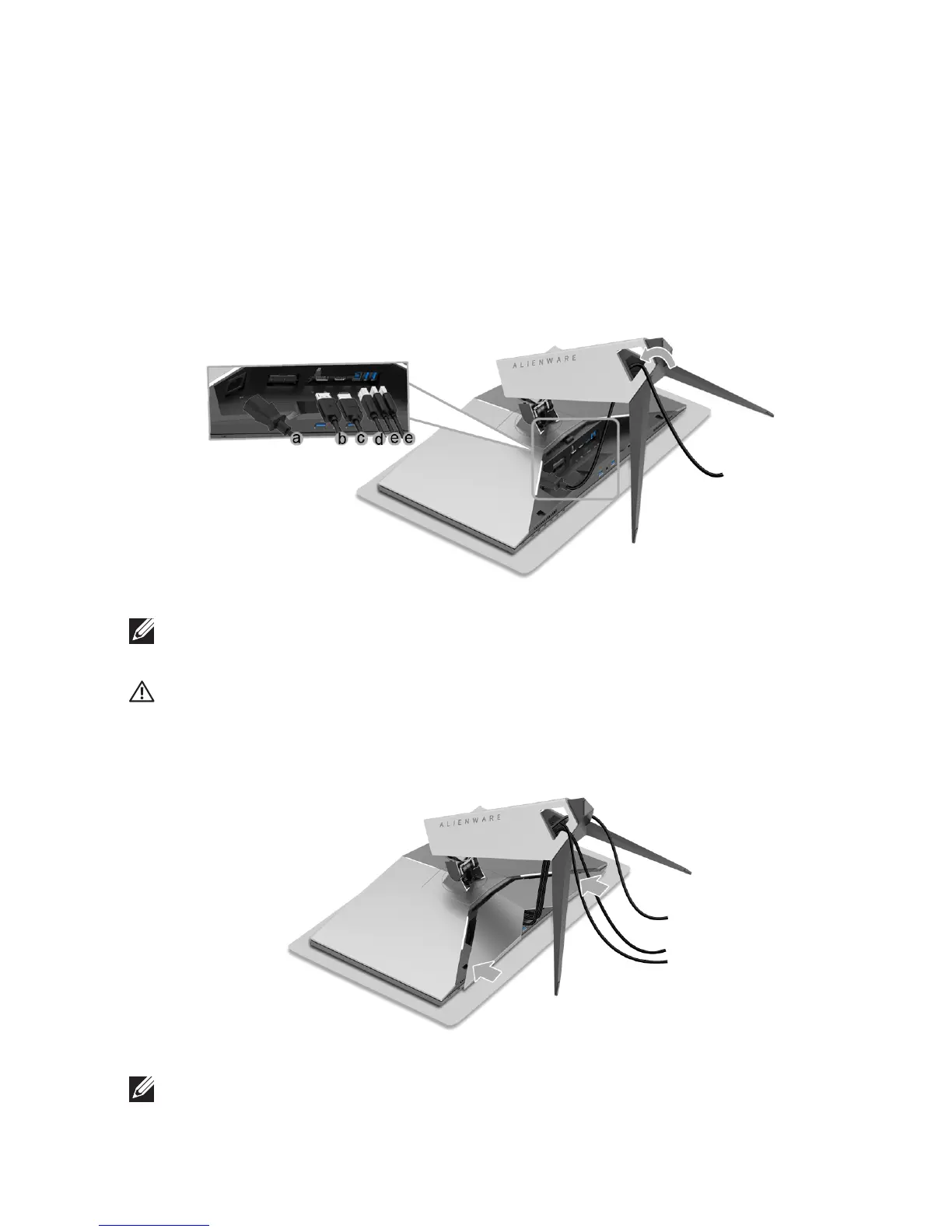
3. Route and connect the necessary cables to the monitor, as shown in the
illustration.
a. Po
wer cable
b. DP cabl
e
c. HDMI cabl
e (optional, cable not included)
d. USB upstream ca
ble
e. USB
downstream cables (optional, cable not included)
NOTE: Route each cable neatly so that the cables will be organized after
the cable cover is attached.
WARNING: Do not plug-in or turn-on the power to the
monitor until you
are instructed to do so.
4. Sli
de the cable cover till it snaps into place.
NOTE: Ensure that the cables may pass through the bottom of the cable
cover.












 To Next Page