Operating the Monitor | 39
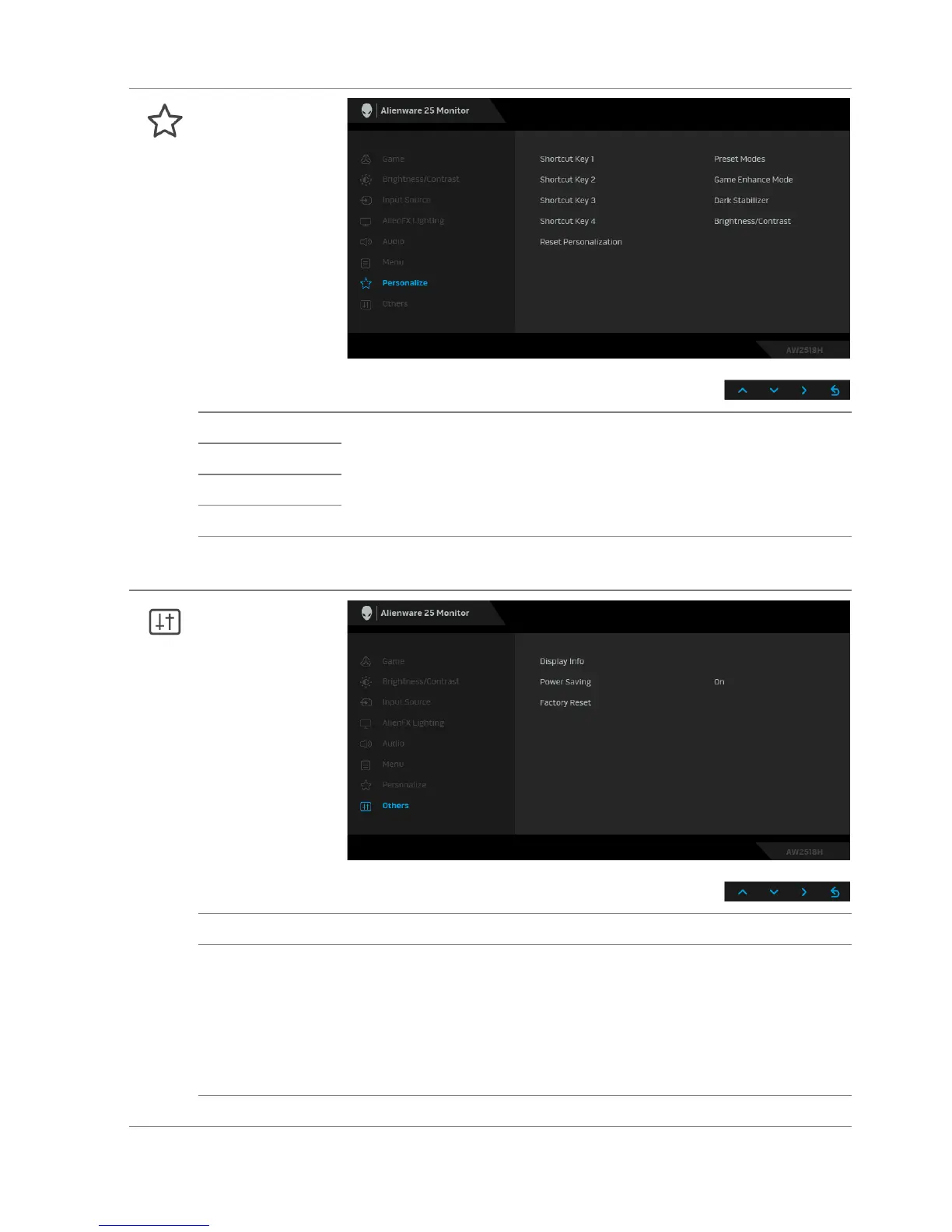
Personalize
Shortcut Key 1 Allows you to choose a feature from Preset Modes, Game
Enhance Mode, Dark Stabilizer, Brightness/Contrast, Input
Source, or Volume and set it as a shortcut key.
Shortcut Key 2
Shortcut Key 3
Shortcut Key 4
Reset
Pe
rsonalization
Restores shortcut keys to factory defaults.
Others
Display Info Displays the monitor's current settings.
Power Saving The default setting is On, letti
ng the monitor go to sleep as the
system sleeps. Selecting Off may prevent the monitor from
going into deep sleep and being unable to wake up.
NOTE: Pressing any button (except the Power button) on the
front panel of the monitor may also wake up the monitor after
it goes into deep sleep.
Factory Reset Reset all settings to the factory preset values.












 To Next Page