3. Remove the battery.
4. Remove the M.2 2230 solid-state drive. (if applicable)
5. Remove the M.2 2280 solid-state drive. (if applicable)
6. Remove the rear I/O-cover.
7. Remove the
display assembly.
8. Remove the speakers.
9. Remove the touchpad.
10.Remove the
keyboard-controller board.
11. Remove the right I/O-board.
12. Follow the procedure from step 1 to step 19 in Removing the system board.
13. Remove the power-adapter port.
14. Remove the power-button assembly.
15.Remove the keyboard.
About this task
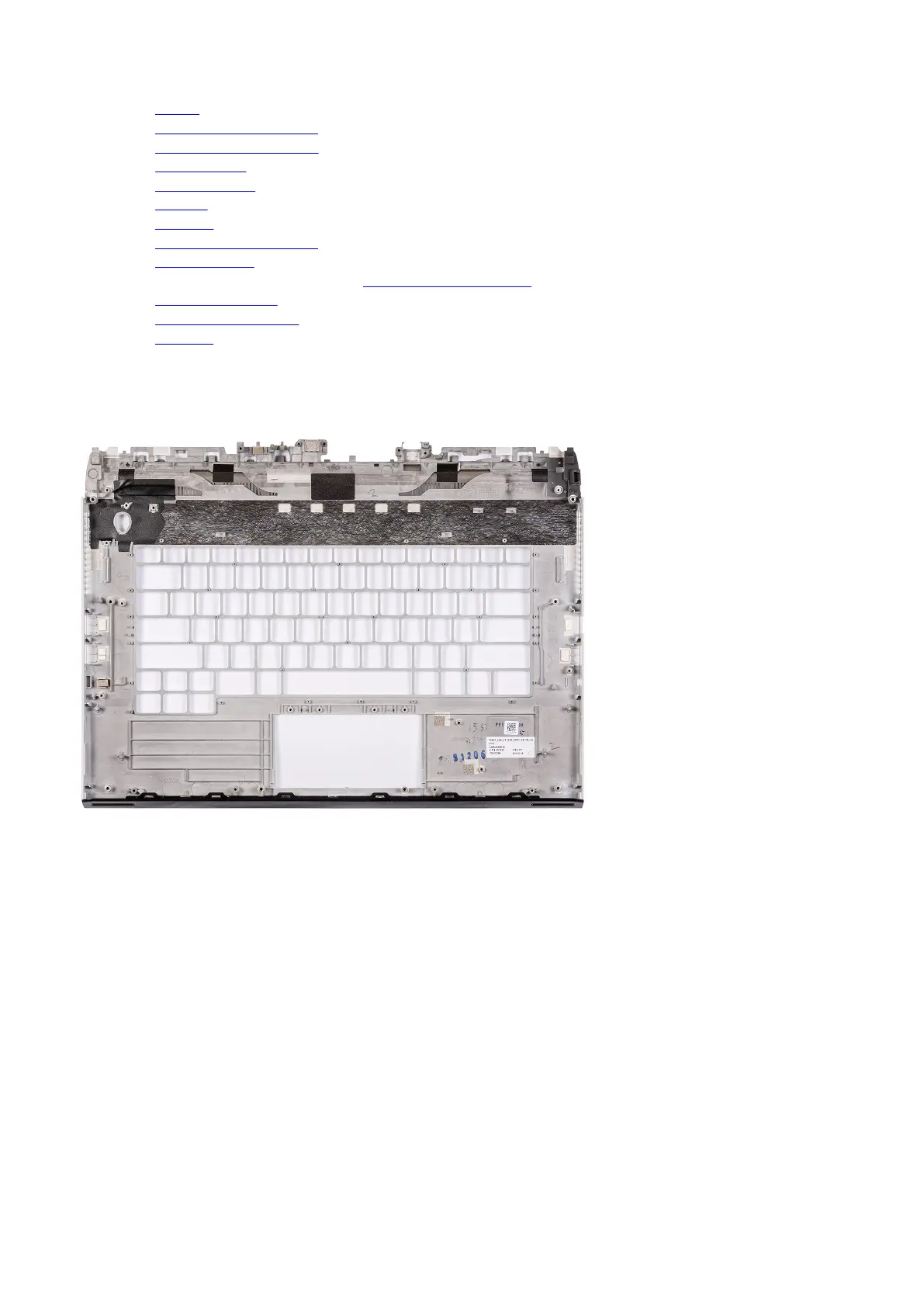
The following image(s) indicate the location of the palmrest and provides a visual representation of the removal procedure.
Steps
After performing the pre-requisites, you are left with the palmrest.
Installing the palmrest
Prerequisites
If you are replacing a component, remove the existing component before performing the installation process.
About this task
The following image(s) indicate the location of the palmrest and provides a visual representation of the installation procedure.
63













 To Next Page