010
010
/
CHAPTER 2: GETTING TO KNOW YOUR NOTEBOOK
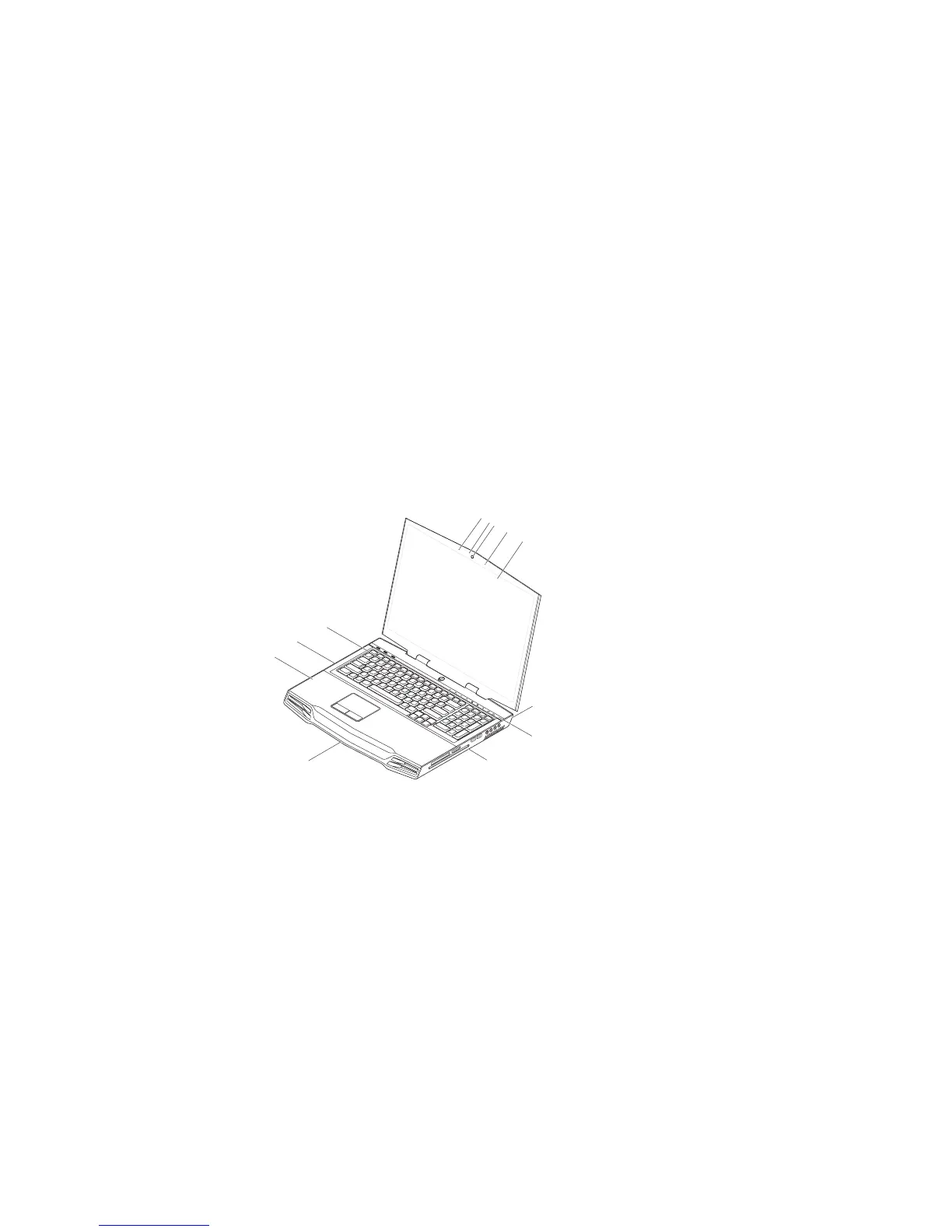
1 left digital array microphone 7 touch capacitive strip
2 webcam activity indicator 8 right side of the notebook
3 webcam 9 front of the notebook
4 right digital array microphone 10 palm rest
5 edge-to-edge LCD with
integrated webcam and digital
array microphone
11 left side of the notebook
6 back of the notebook 12 keyboard
Examining Your Notebook
Before you start using your notebook, you need to get acquainted with your
notebook’s main features and interfaces:
2
3
5
4
1
6
8
7
9
11
12
10











 To Next Page