06
06
/
CHAPTER 1: SETTING UP YOUR NOTEBOOK
Before Setting Up Your Notebook
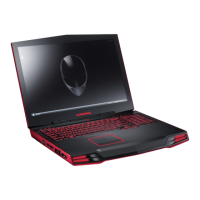
Congratulations on the purchase of your Alienware
®
M17x!
Please read all safety and setup instructions before plugging in your new notebook.
Begin by carefully opening the box and removing all components that were shipped
to you. Before setting up your notebook or components, be sure to inspect all items
for any physical damage that may have occurred during shipment. Be sure to
report any damaged items to customer service immediately upon receiving your
shipment. You must report shipping damage within the rst 5 days of receiving the
shipment or your damage report will not be honored.
Before setting up your notebook or components, please refer to the included invoice
to verify that all items ordered are present. Report any missing components to
customer service within 5 days of receiving the shipment. Anything reported
missing after the rst 5 days of receiving a shipment will not be honored. Some of
the most common items to check for include:
Notebook and AC adapter with power cord•
Microsoft CD-Key located at the bottom of the notebook•
Monitor with power cord and video cable (if ordered)•
Keyboard (if ordered)•
Mouse (if ordered)•
Multimedia speakers and sub-woofer (if ordered)•
Joystick controllers (if ordered)•
You may also need a small athead and/or Phillips head screwdriver for connecting
peripheral cables to the notebook.
CHAPTER 1: SETTING UP YOUR NOTEBOOK
CHAPTER 1: SETTING UP YOUR NOTEBOOK











 To Next Page