012
012
/
CHAPTER 2: GETTING TO KNOW YOUR NOTEBOOK
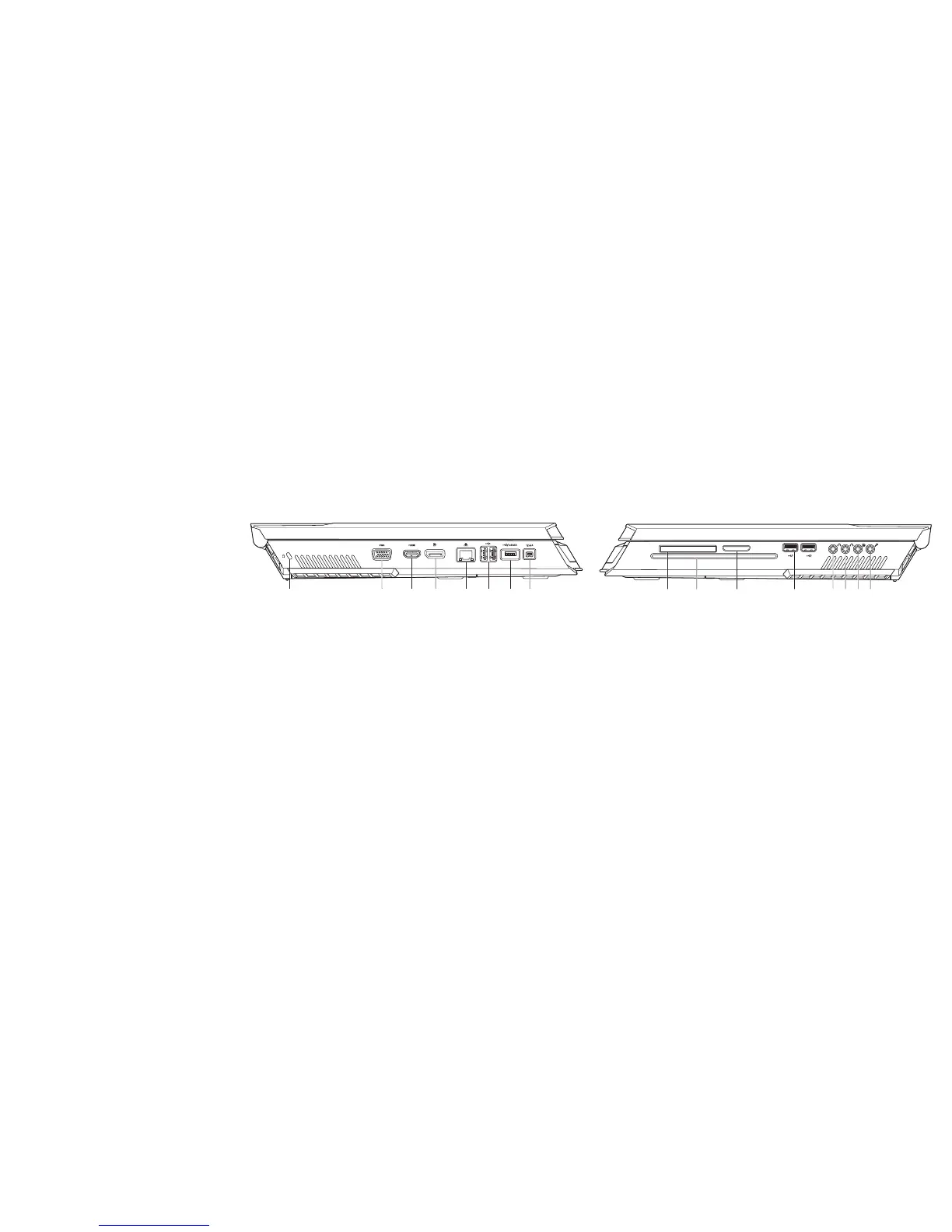
Right View Features
1 2 3 4 5 86 7
1 ExpressCard slot 5 front speakers (left and right)
Audio Out connector/headphone
jack (Green)
2 optical drive 6 center speaker and subwoofer
Audio Out connector/headphone
jack (Orange)
3 media card slot 7 rear surround (left and right)
Audio Out connector (Black)
4 USB connectors (2) 8 Audio In connector/microphone
jack
Left View Features
1
2
3
4
5 6
7
8
1 kensington lock 5 RJ45 LAN connector
2 VGA connector 6 USB connectors (2)
3 HDMI-Out connector 7 USB/eSATA combo connector with
USB PowerShare feature
4 DisplayPort connector 8 IEEE 1394A connector











 To Next Page