Axim
™
Wireless Keyboard Owner’s Manual Page 4
Configuring the Keyboard to Your Pocket PC Device
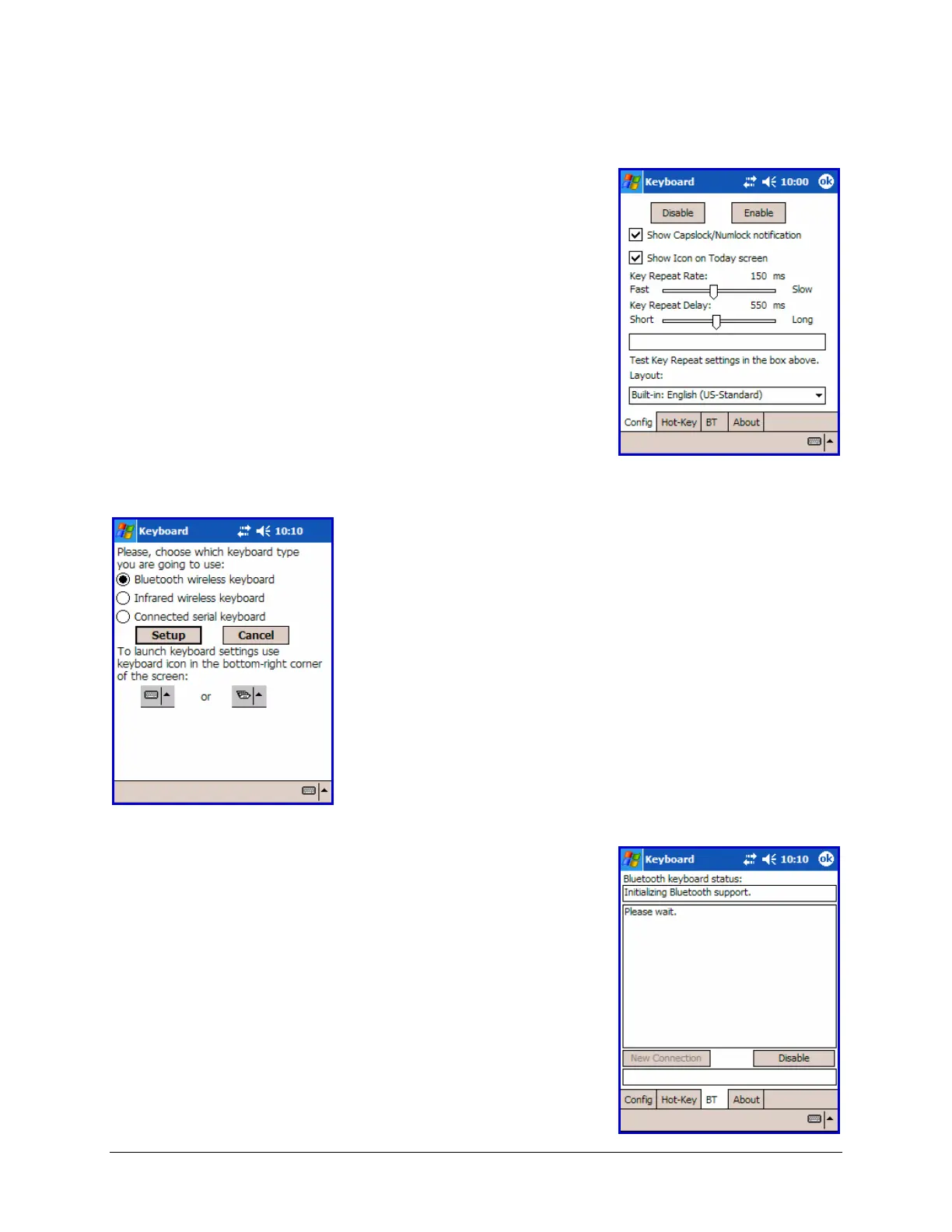
1. To enable the Axim
™
Wireless keyboard, tap the
Enable button on the Config screen of the keyboard
application. This will open the Keyboard Setup
Screen.
2. When the Keyboard Setup Screen is shown,
select the Bluetooth wireless keyboard option
and tap Setup. This will show the Bluetooth
Status Page of the Axim
™
Wireless keyboard
application. You may also open that page by
selecting the BT tab.
3. When the Setup begins, the driver will enable the
Pocket PC Bluetooth system software; this is also
known as the Bluetooth Stack.







 To Next Page