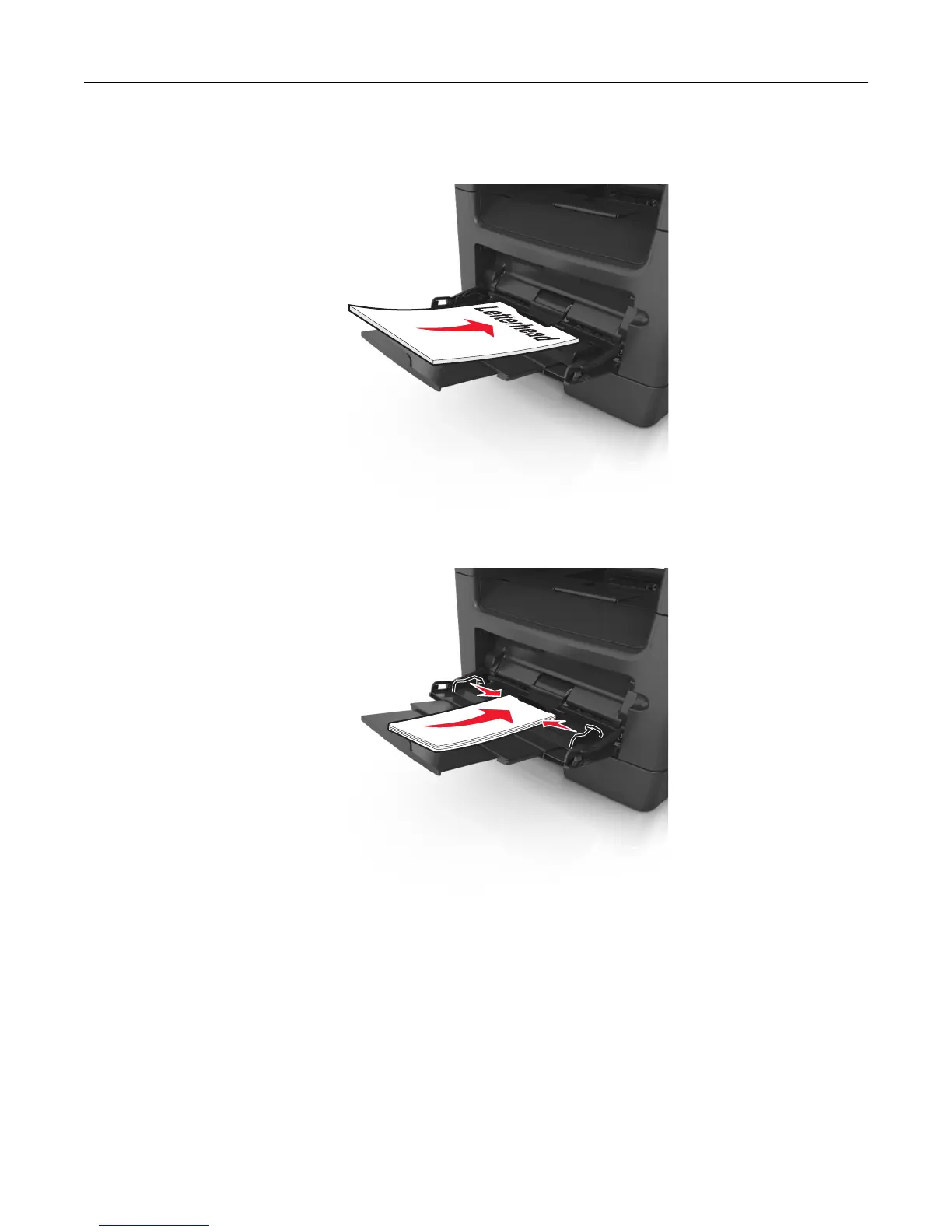
• Load letterhead faceup with the top edge entering the printer first. For two‑sided (duplex) printing, load
letterhead facedown with the bottom edge entering the printer first.
• Load envelopes with the flap on the left side facedown.
Warning—Potential Damage: Never use envelopes with stamps, clasps, snaps, windows, coated linings, or
self‑stick adhesives. These envelopes may severely damage the printer.
5 From the printer control panel, set the paper size and paper type in the Paper menu to match the paper or specialty
media loaded in the multipurpose feeder.
Using the standard bin and paper stop
The standard bin holds up to 150 sheets of 20‑lb paper. It collects prints facedown. The standard bin includes a paper
stop that keeps paper from sliding out the front of the bin as it stacks.
Loading paper and specialty media 66












 To Next Page