10 | About your monitor
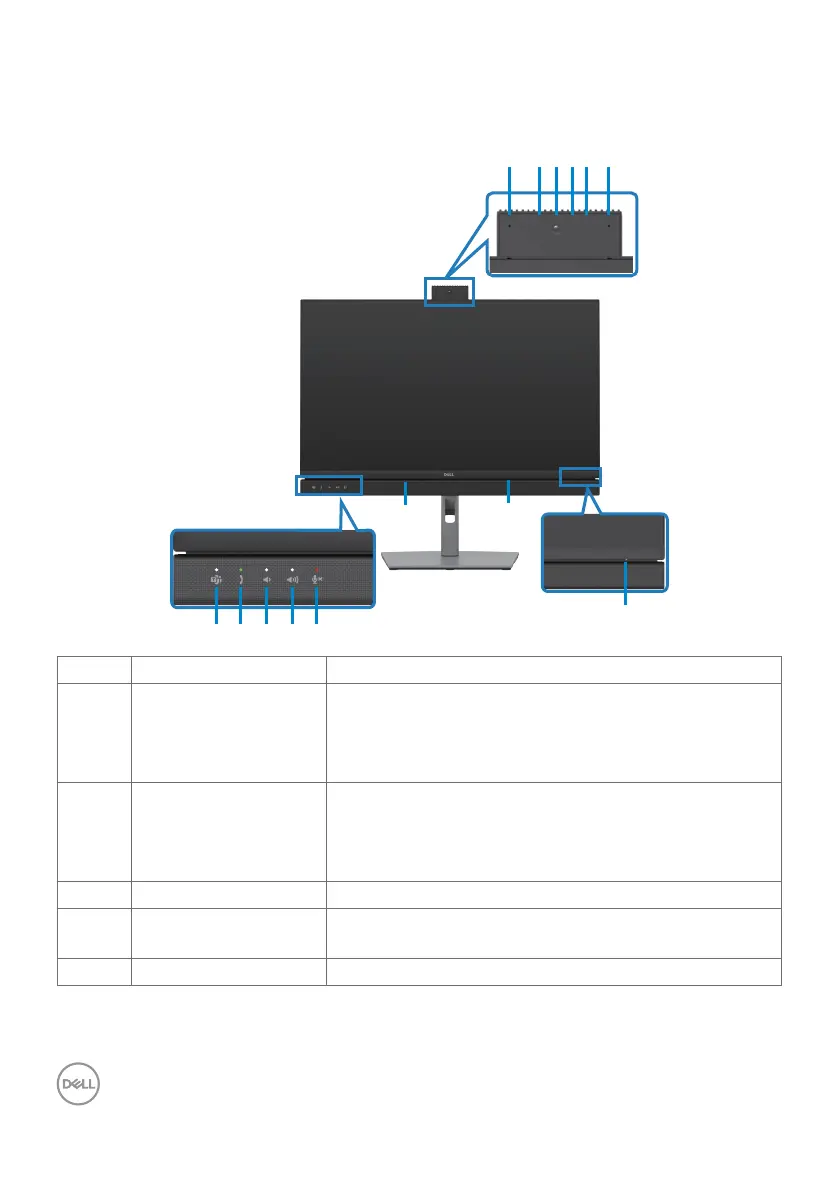
Identifying parts and controls
Front view
13
8 9 10 11 12
7
7
1 2 3 4 5 6
Label Description Use
1,6 Microphones Monitor microphones (Mic).
Mic is enabled when the webcam & Mic module is
popped up.
Mic is disabled when the module is retracted.
3 Webcam lens Transmits your image in a video conference.
Webcam is enabled when the webcam & mic module
is popped up.
Webcam is disabled when the module is retracted.
2,4 IR LED Indicator of infrared (IR).
5 Webcam LED
indicator
Indicator of Webcam. It will light up in white when
webcam is in use.
7 Built-in speakers To output the sound from audio input.



 To Next Page