Setting up the monitor | 49
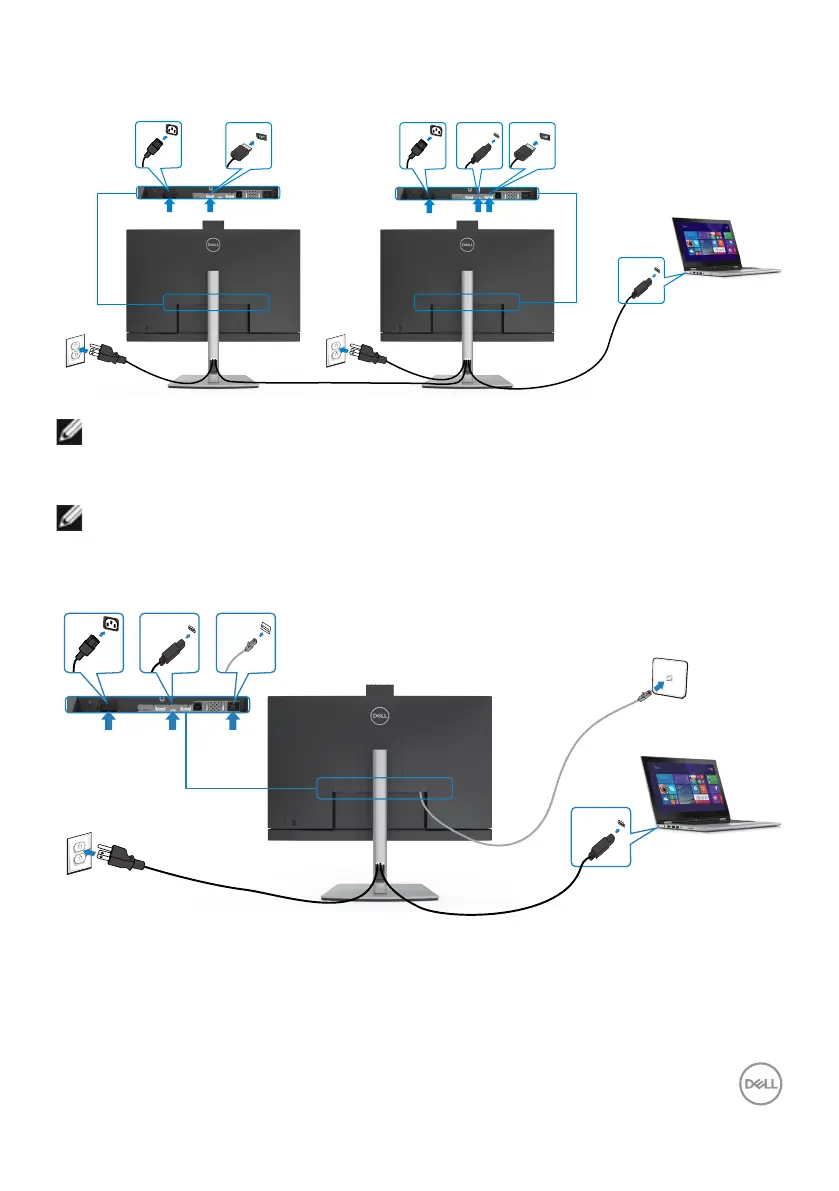
Connecting the monitor for USB-C Multi-Stream Transport
(MST) function (C2422HE/C2722DE only)
DP out
USB Type-C
DP in
USB Type-C
NOTE: The maximum number of supported C2422HE/C2722DE via MST
is subjected to the bandwith of the USB-C source. Please refer to “product
specific problems –No image when using USB Type-C MST”.
NOTE: Remove the rubber plug when using DP out connector.
Connecting the monitor for RJ45 Cable (Optional)
USB Type-C
USB Type-C
RJ45



 To Next Page