12 | Managing Multiple Video Inputs
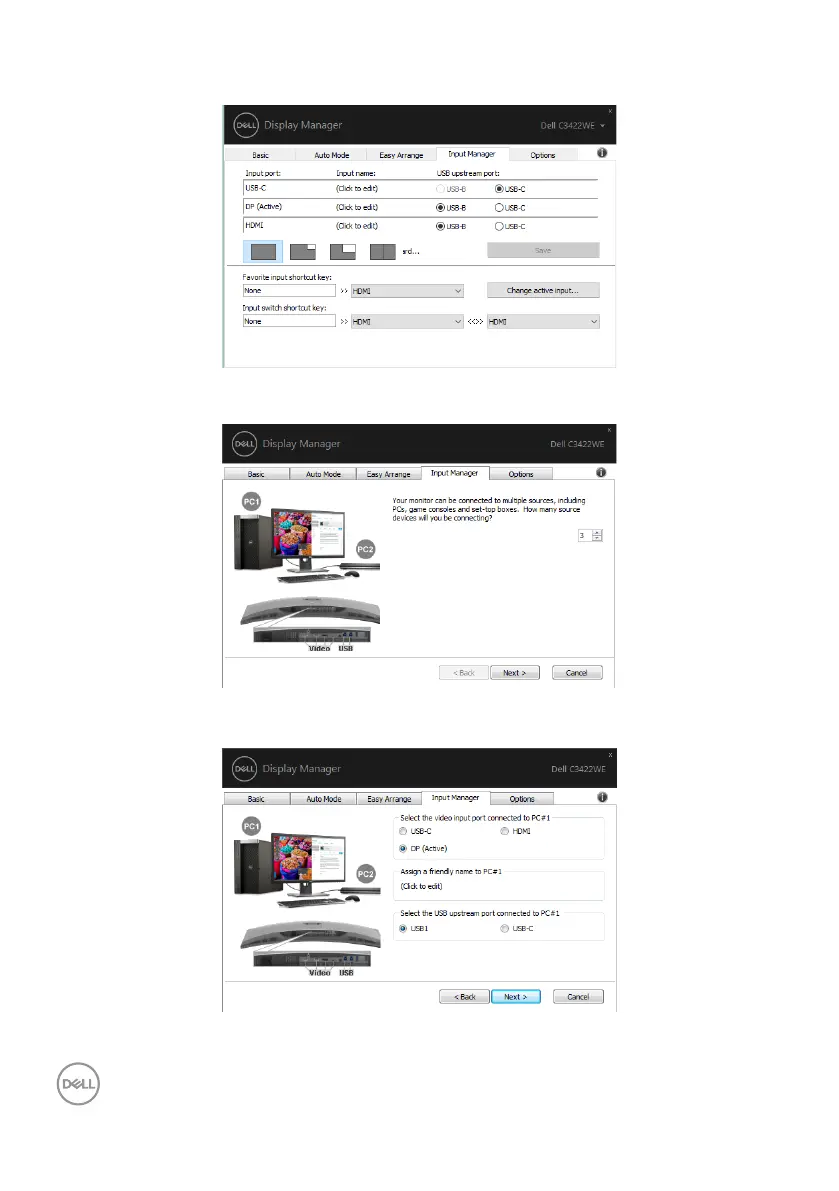
If you want to use the split screen function, click PIP / PBP to select the window size
to be split, and then press the save key to use the PIP / PBP function.
If you want to use the KVM function, click KVM, enter the number of PCs you want to
connect to, and then press NEXT.
In PC1-PC3, select the Video Input Port to connected to the port and select the USB
Upstream Port to connected to the port, then press NEXT.



 To Next Page