Setting Up the Monitor 27
Setting Up the Monitor
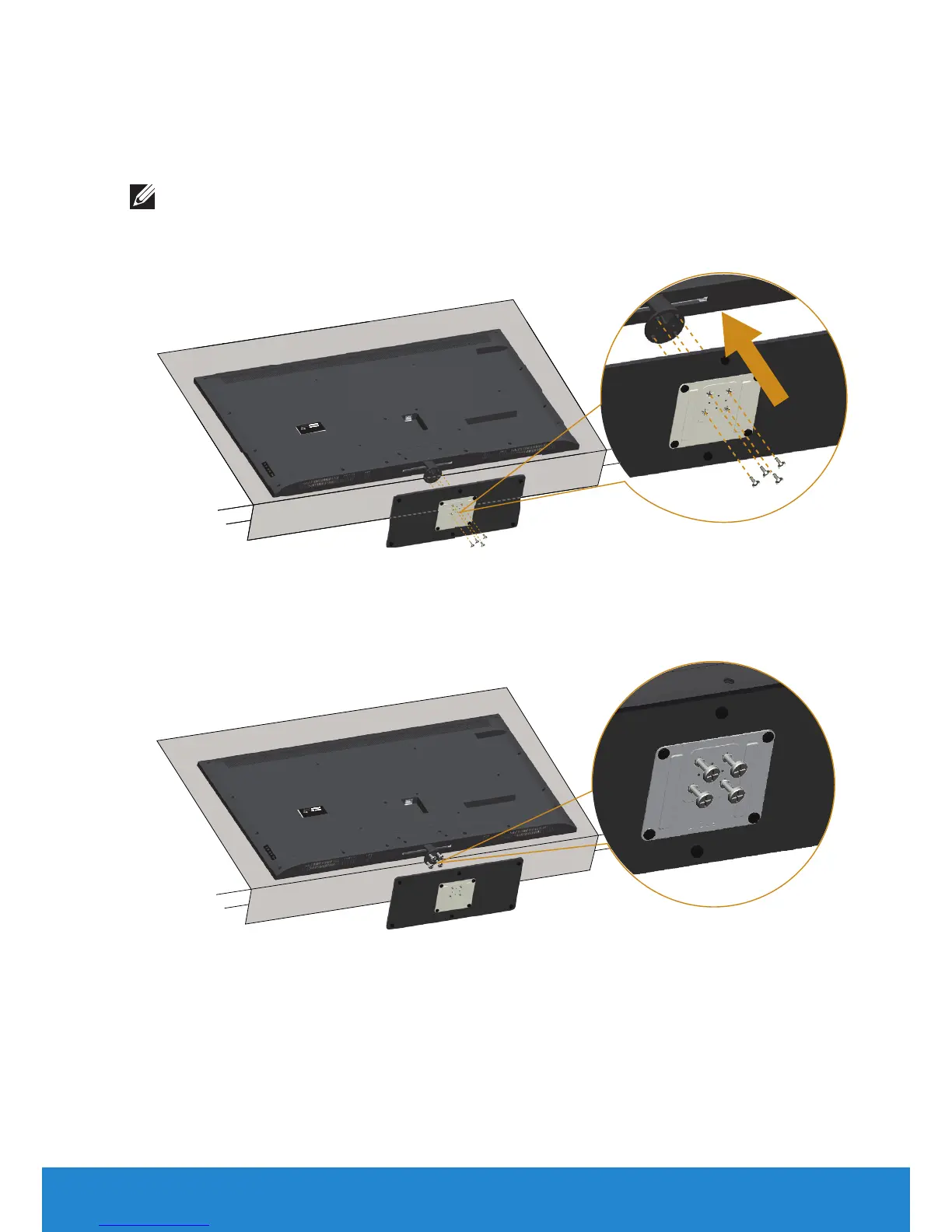
Attaching the Monitor
NOTE: The base is detached when the monitor is shipped from the
factory.
To attach the monitor base:
CA
N I
C
ES
-
3 (
B)
/
NMB-3
(
B)
Se
r
v
i
c
e
Tag
:
1
NGTQ
V1
E
x
p
r
e
ss
S
VC
c
od
e
:3
5
9
5
7
6
6
0
7
7
S/
N
:
CN
-
0
P2N
YV-
6
41
8
0
-
4
6
D
-
00
1
T
R
E
V A0
0
M
a
n
ufa
ct
u
r
ed Da
t
e:
J
u
l
. 2
01
4
D
E
L
L
M
o
del
N
o
. :
E5515H
c
:
100-
240V
50/
60Hz
2.5A
T
he
e
qui
pment
must
b
e
co
nnect
ed
t
o
a
n
e
ar
t
h
ed
mai
ns
s
ocket
-
o
ut
l
e
t
.
L
'appa
r
ei
l
doi
t
êt
r
e
br
an
c
hé
su
r
un
e
p
r
i
se
d
e
co
ur
ant
mun
i
e
d'une
mi
se
à
l
a
t
er
r
e
.
R
ahe
en Busi
ne
ss Pa
r
k L
i
mer
i
c
k I
r
ela
n
d w
w
w
.d
ell
.c
om
Ma
de
in C
hina
Fl
at P
a
n
el
M
o
ni
tor
/M
on
i
teur
éc
r
an pl
at
1. Place the monitor on a flat surface.
2. Insert the screws to the base.
3. Tighten the screws.
CAN ICES-3 (B)/NMB-3(B)
Service Tag:1NGTQV1
Express SVC code:359 576 607 7
S/N: CN-0 P2NYV-64180-46D-001T
REV A00
Manufactured Date: Jul. 2014
DELL
Model No. : E5515Hc
: 100-240V 50/60Hz 2.5A
The equipment must be connected to an earthed mains socket-outlet.
L'appareil doit être branché sur une prise de courant munie d'une mise
à la terre.
Raheen Business Park Limerick Ireland www.dell.com
Made in China
Flat Panel Monitor /Moniteur écran plat













 To Next Page