Operating the Monitor 31
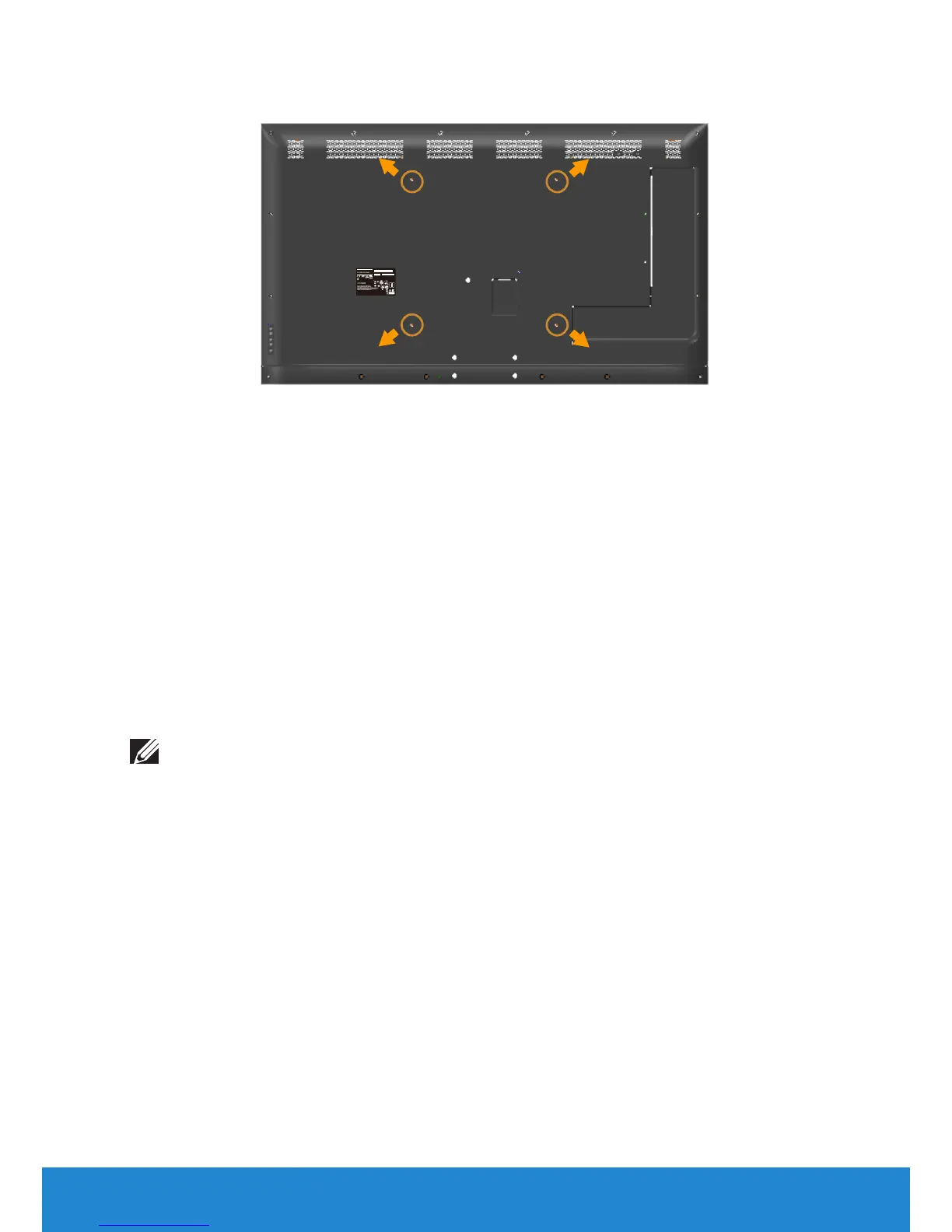
Wall Mounting (Optional)
DELL
Model No. /
Modelo /型號
/
型号
/
모델명
: C5517Hc
輸入電源/输入电源/정격입력
:
100-240V 50/60Hz 2.5A
Q40G055N-700-03A
XXXXXXXXXXX
MSIP-REM-TPF-C5517Hc
신청인/제조자:TPV Electronics (Fujian) Co., Ltd.
XXXXXX- X X
CAN ICES-3 (B)/NMB-3(B)
The equipment must be connected to an earthed mains socket-outlet.
L'appareil doit être branché sur une prise de courant munie d'une mise à la terre.
Удельная мощность рабочего режима - X.XXX Вт/см²
Потребляемая мощность изделием в режиме ожидания - X.XX Вт
Потребляемая мощность изделием в выключенном режиме - X.XX Вт
Service Tag:1NGTQV1
Express SVC code:359 576 607 7
S/N: CN-0 P2NYV-64180-46D-001T
REV A00
生产日期/Manufactured Date: Apr.2016
中国制造
Made in China
IS 13252(Part1)/
IEC 60950-1
R-41018660
S&E
R33037
RoHS
警語:使用過度恐傷害視力。
(Screw dimension: M6 x 30 mm).*
*Depending on your mounting solution, you may need longer than 30 mm
screws.
Refer to the instructions that come with the VESA-compatible base
mounting kit.
1. Place the monitor panel on a soft cloth or cushion on a stable, flat
table.
2. Remove the stand.
3. Attach the mounting bracket from the wall mounting kit to the LCD.
4. Mount the LCD on the wall by following the instructions that came
with the wall mounting kit.
NOTE: For use only with UL-listed wall mount bracket with minimum
weight/load bearing capacity of 81.2 kg.













 To Next Page