22 About Your Monitor
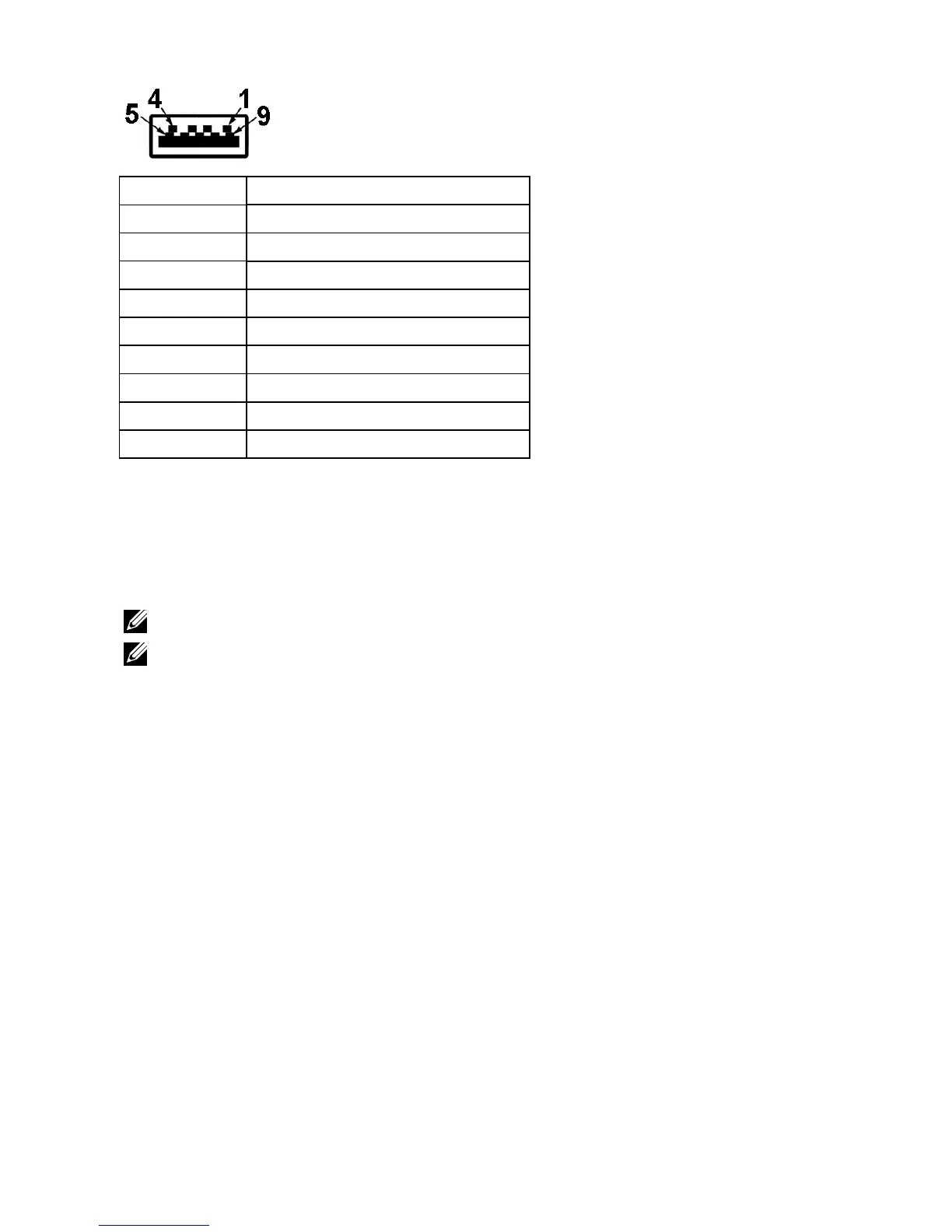
USB Downstream Connector
Pin Number 9-pin Side of the Connector
1 VCC
2 D-
3 D+
4 GND
5 SSTX-
6 SSTX+
7 GND
8 SSRX-
9 SSRX+
USB Ports
• 1 upstream
• 3 downstream
• 1 Dedicated Charging Port (DCP) - DCP port is for charging devices and has no
data lines.
NOTE: USB 3.0 functionality requires a USB 3.0-capable computer.
NOTE: The monitor’s USB interface works only when the monitor is On or in
the power-save mode. If you turn Off the monitor and then turn it On, the
attached peripherals may take a few seconds to resume normal functionality.


 To Next Page